

How Do I Increase School Admissions?
The six things parents look for before they book a visit, and most school websites answer none of them
If you are searching how to increase school admissions, you have probably already done the obvious. The prospectus was redesigned, the open morning is in the diary, the social media is busy with sports day and the website was rebuilt not long ago with a drone shot of the grounds and a ‘book a visit’ button. Yet the admissions inbox is quiet, the enquiries you do get come from siblings and word of mouth, and the school a few miles away seems to pick up every family that moved into the area and searched on their phone.
That is rarely one big problem. It is a short list of things a parent looks for before they book a visit, mostly on a phone in the evening, and most school websites answer none of them because they were built for the parents the school already has rather than the ones it wants.
Quick Version
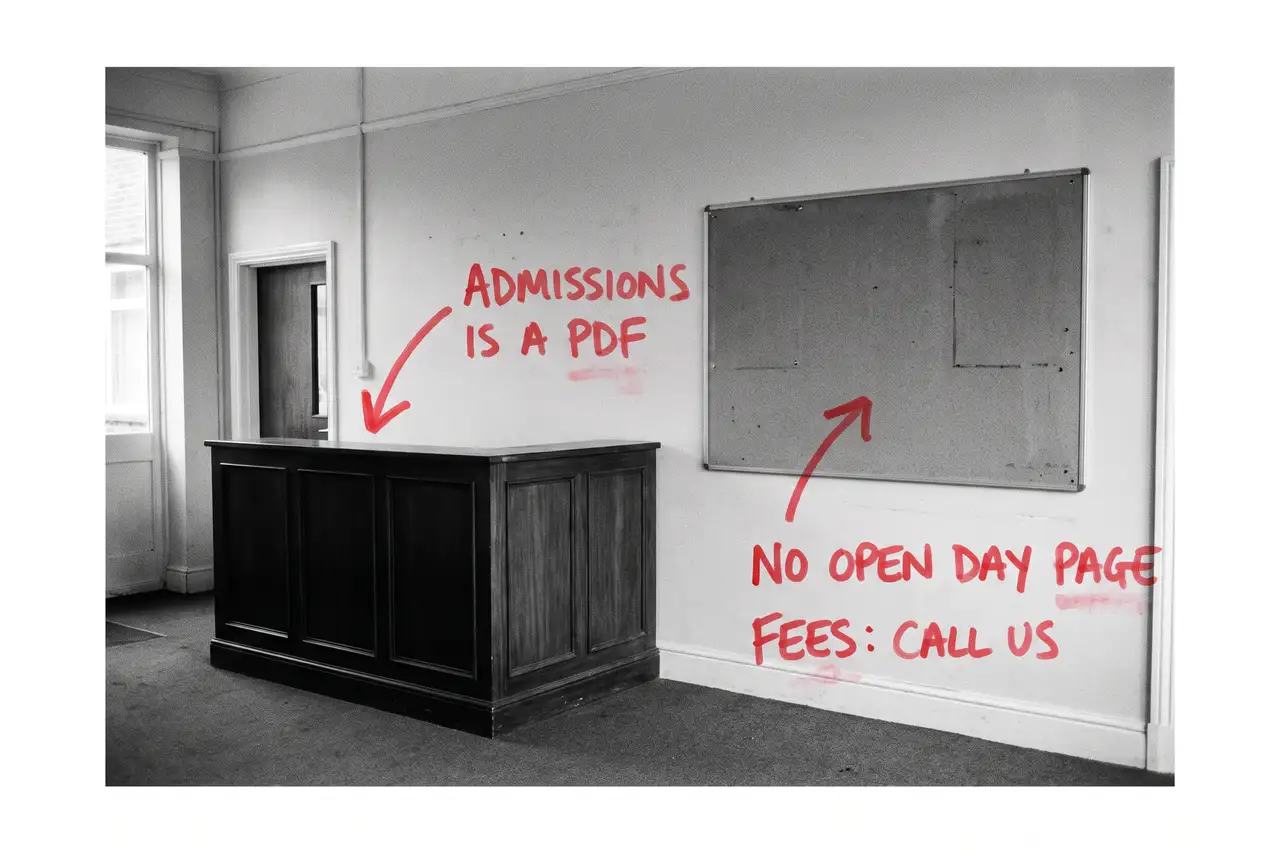
Parents find a school three ways: the map result for ‘schools near me’ or ‘independent schools’ with the town, a search for the entry point or the year group with the area, and a comparison search once they have shortlisted two or three and want to know the fees and what the open day involves. Most school websites win none of them, because the homepage is for current parents, admissions is a PDF and the fees are on request.
The six things to check, in order:
- Your website is written for the parents you already have
- Admissions is a PDF, not a set of pages
- There is one page for every entry point
- Fees are ‘available on request’
- The open day lives in the calendar, not on a page
- You are counting visits, not enquiries by entry point
Most schools have four of these at once. None of them needs a new website, and none of them needs to wait for the next prospectus.
Not Sure where to start?
All of this is a few weeks of the admissions team’s time if you know how parents search for a school and how to write an entry point page that ranks, and another year of half-full open mornings if you do not. If you would rather someone wrote the admissions and entry point pages, put the fees and the open day on the site properly, sorted the Business Profile and told you plainly which searches are now bringing enquiries, that is what our SEO & AI service for schools does.
How Do I Increase School Admissions? The Full Guide
Work through these in order. The admissions pages come first because they are where a prospective parent lands, and the open day page comes second because it is the thing every other page should be pointing at.
Your website is written for the parents you already have
Open your homepage as a parent who has never heard of you. Term dates, the parent portal login, the lunch menu, this week’s newsletter and a photo of the Year 6 play. All useful to a family already at the school, and none of it answers the question the stranger arrived with: is this the right school for my child and how do I find out more?
A prospective parent searching ‘prep schools near High Wycombe’ or ‘schools with a sixth form’ plus the town needs to land on a page that says who you teach, from what age to what age, where you are, what the school is like and how to visit. That page is the one that ranks for the area searches, and on most school websites it does not exist because the homepage is doing two jobs badly.
Give the current parents their own hub, one click from the top, and give the homepage back to the family who is deciding. The homepage then says plainly what kind of school you are, who it suits, where you are and how to see it.
Admissions is a PDF, not a set of pages
On most school websites the admissions process is a prospectus download, an admissions policy download and a registration form, also a download. Google cannot rank what is inside a PDF against a page that explains the process, and a parent on a phone in the evening is not going to open three documents to find out when the deadline is.
Write the admissions journey as pages. How to visit, how to register, what the assessment or the taster day involves, when the deadlines fall, what happens after an offer and who to ring with a question. Keep the PDFs as downloads for the parents who want them, but put the words on the page.
That set of pages ranks for ‘how to apply’ and ‘entry requirements’ with your name, and it is what the admissions office spends less time explaining on the phone.
There is one page for every entry point
Reception, Year 3, Year 7 and sixth form entry are four different parents, often a decade apart, asking different questions. The nursery parent wants to know about settling in and wraparound care. The Year 7 parent wants to know about the assessment and the bus. The sixth form parent wants the subjects, the results and what happens on day one. One admissions page cannot answer all of them, and it ranks for none of the searches they make.
Write a page for each entry point you want more applications to. Who it is for, what the first term looks like, what you look for, how to apply, when to apply and how to visit. Link each one to the open day page and the fees page.
Start with the entry point that fills the school, not all of them at once.
Fees are ‘available on request’
Parents search ‘school fees’ with your name and ‘independent school fees’ with the area before they ever book a visit, and they will find a figure somewhere. If your site says ‘fees available on request’, they assume you are the expensive one and arrive at the open day already doubtful.
Publish a fees page in plain text. The fee per term by stage, what it includes, what is extra, how bursaries and scholarships work and how to ask about them. If there is a sibling discount, say so. A parent who has read it books the visit with the question already answered.
That page is also what AI tools draw on when someone asks what a school in your area charges, so it earns its place twice.
The open day lives in the calendar, not on a page
On most school websites the open morning is an entry in a diary widget or a line in the news. A date in a calendar ranks for nothing and tells a parent nothing about what will happen when they turn up.
Give the open day its own page, kept live all year. The next dates, what happens on the morning, who they will meet, how long it takes, whether children should come, what to do if they cannot make a date and a short booking form with as few fields as you can stand. Then point every entry point page, the homepage and the Business Profile at it.
When there is no date set, the page says so and offers a private visit instead. The page never goes dark.
You are counting visits, not enquiries by entry point
A school website can double its visits and fill no more places, usually because the visits are current parents checking the term dates, pupils looking for the portal, or former pupils looking at the photos.
Put a tracked phone number on the admissions pages, keep the enquiry and open day forms short, and record which entry point each enquiry is for and which page it came from. In Search Console, look at which searches you appear for and whether they are the area, entry point and open day searches you want. If your biggest search is ‘parent portal’, the site is serving the families you already have.
Once you can see enquiries and visit bookings by entry point, you know which page to write next and which year group the website is actually feeding. Report that to the governors instead of the visit count.
Common Mistakes
If you are still searching how to increase school admissions after a couple of months of changes, one of these is usually why.
- Redesigning the website before writing the admissions pages. A new homepage with the same PDFs behind it changes nothing for the parent who is deciding.
- Leaving admissions in the prospectus. A PDF cannot rank, cannot be read on a phone in the evening and cannot be cited by an AI tool.
- Hiding the fees. Parents find a number somewhere, and if it is not yours they arrive negotiating or do not arrive at all.
- Treating the open day as a date rather than a page. The page is what the whole site should point at, and it needs to be there all year.
- Judging it after a month. The Business Profile can move in weeks. Admissions and entry point pages take a term or two to rank. Fix the list, then judge it over an admissions cycle.
DIY lane vs done for you lane
DIY lane:
Give the homepage back to the prospective parent and move the current parent content to its own hub. Write the admissions journey as pages rather than downloads. Write a page for each entry point you want more applications to, with how to apply and how to visit. Publish the fees with what is included and how bursaries work. Give the open day its own page with a short booking form, and point everything at it.
Then put a tracked number on the admissions pages and leave it alone for a term while you watch enquiries by entry point.
Done for you lane:
This is the first two months of our SEO & AI service for schools. Homepage rewritten for the deciding parent, admissions turned into pages, entry point pages written for the year groups you want to fill, the fees page written, the open day given a page that is live all year, Business Profile sorted, school structured data added so Google and the AI tools can read it all, and enquiry tracking by entry point set up.
You get told which searches and entry points are now bringing enquiries, which are not yet, and why. Then we keep going.
Related Guides on the wall
If you are working out how to increase school admissions from your own website, these three cover the individual fixes in more depth.
- Service Page Checklist: Turn More Visits Into Enquiries for turning each entry point page into one that ranks and gets the visit booked.
- Why Is My Homepage Ranking Instead Of My Service Page? for when the homepage outranks the admissions pages that should be doing the work.
- Google Business Profile Optimisation for getting the school into the map result with the right category, hours, photos and reviews.
How Do I Increase School Admissions FAQs

Write the admissions journey as pages, give each entry point its own page, publish the fees, give the open day a page that is live all year and fix the Business Profile. Parents in your area are already searching the school type, the year group and the fees. The school that answers those searches best gets the visit.
Yes. Parents search the fee before they book a visit, and a school that explains its fees, what they include and how bursaries work is trusted before it is seen. Hiding them reads as expensive, and a plain fees page is also what AI tools cite when someone asks what schools in your area charge.
For every entry point you want more applications to, yes. Reception, Year 7 and sixth form parents are asking different questions a decade apart. One admissions page serves none of them well, and a page per entry point ranks for the searches each of those parents makes.
Yes. ‘Schools near me’ and the area searches show the map first, and the map is built from Business Profiles. The right category, the real address and hours, photos of the actual school and answered reviews put you in that box. A logo and an unanswered review from two years ago do not.
The Business Profile can move within weeks once it is fixed. Admissions, entry point and fees pages usually take a term or two to rank, and admissions run in cycles, so judge it over a full admissions year on enquiries and visit bookings by entry point rather than on visits.
Increasing school admissions from your own website is nearly always a matter of writing for the parent who is deciding rather than the parent who has already decided. Start with the admissions pages and the open day page, put the fees where people can find them, and the rest follows from there.
Like this guide?
Tell Google you want more like it. One click, no sign-up, and FlyPost guides start showing up more often in your search results.
Add FlyPost as a preferred sourceTakes you to Google, then straight back here.