

How Do I Get More Gym Members From My Website?
The six things people check before they book a first session, and most gym websites answer none of them
If you are searching how to get more gym members from your website, you have probably already done the obvious. The site looks good, the timetable is embedded from the booking app, the Instagram is busy, there is a ‘join now’ button on every page and the January rush came and went. Yet the new faces mostly came from a friend who already trains with you, the chain that opened by the retail park takes every ‘gym near me’ search, and the website’s own trial form has gone quiet.
That is rarely one big problem. It is a short list of things a person checks before they book a first session, mostly on a phone, mostly on a Sunday evening when they have decided this is the week, and most gym websites answer none of them because they were built to look like a gym rather than to get the booking.
Quick Version
Someone finds a gym three ways: the map result for ‘gym near me’, a search for a class or a goal with the town, and a look at the price, the reviews and who the gym is for before they book. Most independent gym websites win none of them, because the profile is thin, the classes live inside an app and the price is hidden.
The six things to check, in order:
- You are not in the map box for ‘gym near me’
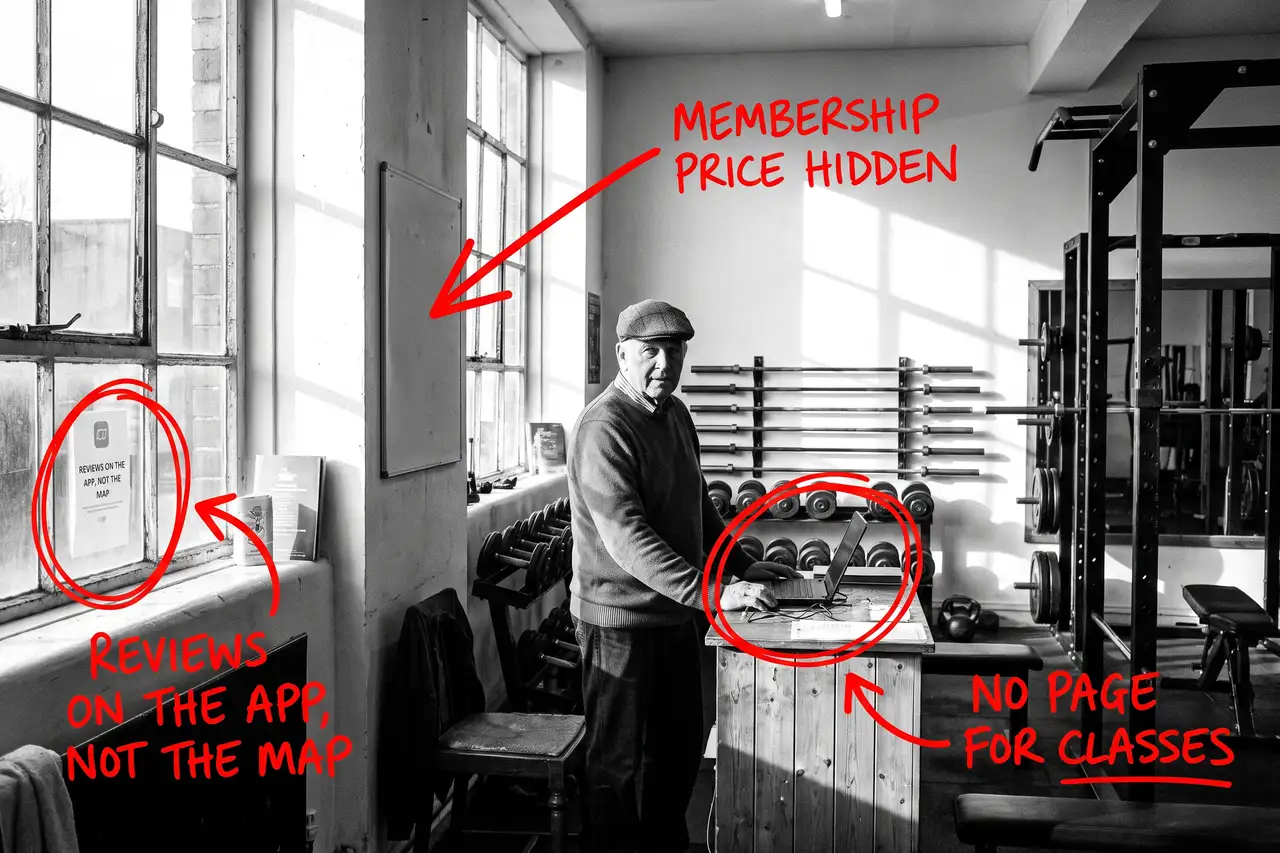
- The membership price is hidden
- The classes live inside an app, not on your site
- Nothing says who the gym is for
- Reviews on the booking app, not on Google
- You are counting visits, not trials by class
Most gyms have four of these at once. None of them needs a new website, and none of it needs a bigger social media budget.
Not Sure where to start?
All of this is a few quiet evenings if you know how people search for a gym and how to write a class page that ranks, and another year of watching the chain take the ‘near me’ searches if you do not. If you would rather someone wrote the class and membership pages, put the prices on the site, sorted the profile and told you plainly which searches are now bringing trials, that is what our SEO & AI service for gyms does.
How Do I Get More Gym Members From My Website? The Full Guide
Work through these in order. The Business Profile comes first because it is where the ‘near me’ searches land, and the price comes second because it is the first thing a person looks for once they have found you.
You are not in the map box for ‘gym near me’
Search ‘gym near me’ from your phone, standing in your own town. The map with three names is what most people see first, and those three came from Google Business Profiles, not websites. If you are not in that box, or you are in it with six reviews and a photo of the sign while the chain has four hundred, the booking went elsewhere before your site was opened.
Open your profile as a stranger would. Is the primary category ‘Gym’ and have you added the secondary ones that fit, such as ‘Fitness centre’ or ‘Personal trainer’? Are the hours right, including the early and late slots and any 24-hour access? Are the photos the floor, the classes and real members rather than a logo? Are the classes and memberships listed as services? Has every review been answered?
Then ask for the review when a member hits a goal, with the link, and ask them to mention the class or the coach. A review that says ‘did my first pull-up after six weeks of the strength class’ does more than ten that say ‘great gym’.
The membership price is hidden
‘Gym membership cost’ with the town is one of the first searches people make, and ‘how much is’ plus your gym’s name is usually the second. If the site says ‘enquire for prices’ or hides them inside the booking app, people assume you are the expensive one and go to the chain, whose price is on a billboard.
Put the memberships on a page of their own: what each one costs, what it includes, whether there is a joining fee, how notice works, and whether there is a trial or a day pass. If you are more expensive than the chain, say why in plain words. Coaching on the floor, small classes and someone who knows your name are worth paying for, but only if the site says so.
That page is also what AI tools quote when someone asks what a gym membership should cost locally, so it earns its place twice.
The classes live inside an app, not on your site
Someone searching ‘spin class’ with the town, ‘boxing gym near me’ or ‘strength training for beginners’ is a different person each time, with a different reason to walk in. Most gym websites answer all of them with a timetable embedded from the booking app, which Google cannot read and which tells the stranger nothing about what the class is actually like.
Write a page for each class type you want more people in. Who it suits, what a first session is like, what to bring, how hard it is, who coaches it and when it runs. Keep the booking in the app if you like, but keep the words on your own site, where Google and the person can read them.
Start with the two or three classes that fill the floor, not the whole timetable.
Nothing says who the gym is for
A powerlifting gym, a beginner-friendly studio and a 24-hour budget gym all say ‘all welcome’ on the homepage. The beginner who is nervous about walking in cannot tell which one you are, and the serious lifter cannot tell either. Both go to the gym whose site made it obvious.
Say who you are for, in words. Beginners who have never trained. Over 50s. People coming back from an injury. Serious lifters who want proper racks. Parents who need a crèche. Write a short page for each group you genuinely want, saying what their first month looks like. The right people book a trial and the wrong ones stop filling your trial slots.
Reviews on the booking app, not on Google
Most independent gyms have their reviews on the booking app or on social media, because that is where the platform asked for them. The person searching ‘gym near me’ sees the Google map first and never reaches either.
Ask for the Google review when a member hits a goal, every time, with the link on a text or at the desk. Put the best ones on the site next to the class they relate to. Never offer anything for a review, and never ask members to say anything they would not say to a friend.
You are counting visits, not trials by class
A gym website can double its visits and sign up no more members, usually because the visits are existing members checking the timetable, people two towns away, or students looking for a job.
Give the trial booking its own short form that asks which class or goal brought them, put a tracked number on the site, and record where each new member came from. In Search Console, look at which searches you appear for and whether they are the class, goal and town searches you want. If your biggest search is your own name, the site is not bringing you anyone new yet.
Once you can see trials by class and source, you know which class page to write next and whether the social media spend is pulling its weight. Judge the site on that, not on the visit count.
Common Mistakes
If you are still searching how to get more gym members from your website after a couple of months of changes, one of these is usually why.
- Redesigning the website before fixing the Business Profile. The ‘near me’ search lands on the map, and the map does not care how the homepage looks.
- Hiding the price. People find a number somewhere, and if it is not yours they assume you are the expensive one.
- Leaving the classes inside the app. An embedded timetable ranks for nothing. A page per class is the single biggest fix.
- Saying ‘all welcome’. It tells the nervous beginner and the serious lifter the same nothing. Say who you are for.
- Judging it after a month. The profile can move in weeks. Class and membership pages take months to rank. Fix the list, then give it two quarters, and do not judge it on January alone.
DIY lane vs done for you lane
DIY lane:
Fix the Google Business Profile first: the right categories, correct hours including early, late and 24-hour access, photos of the floor and the people, classes and memberships listed as services, every review answered and a review request when each member hits a goal. Write the memberships page with the prices on it. Write a page for each of your two or three busiest class types and a short page for each group you genuinely want.
Then give the trial booking its own short form, add a tracked number, and leave it alone for a couple of months while you watch trials by class and source.
Done for you lane:
This is the first two months of our SEO & AI service for gyms. Business Profile sorted, the memberships page written with the prices on it, class pages written for the people you want in them, who-you-are-for pages written, the booking journey given some context, health club structured data added so Google and the AI tools can read it all, and trial tracking by class set up.
You get told which searches are now bringing trials, which are not yet, and why. Then we keep going.
Related Guides on the wall
If you are working out how to get more gym members from your own website, these three cover the individual fixes in more depth.
- Local SEO Checklist Guide for the Business Profile, the reviews and the town searches, in order.
- Google Business Profile Optimisation for getting the categories, services, photos and reviews right so the map shows you rather than the chain.
- Service Page Checklist: Turn More Visits Into Enquiries for turning each class and membership page into one that ranks and gets the trial booked.
How Do I Get More Gym Members From My Website FAQs

Fix the Google Business Profile, put the membership prices on the site, write a page per class type and say plainly who the gym is for. People in your town are already searching the class, the goal and the price. The gym that answers those searches best gets the trial, and did not pay for the click.
Yes. People search the price before they visit, and ‘enquire for prices’ reads as the expensive option. Put each membership, what it includes, any joining fee and how notice works on one page. If you cost more than the chain, say why.
For every class type you want more people in, yes. An embedded timetable ranks for nothing and tells a stranger nothing. A page per class, with who it suits and what a first session is like, ranks on its own and brings the right people.
Not for every search, and it does not need to. The chain’s page for your town is a template. Your site can win the class, goal and ‘near me’ searches locally with real pages, real coaches and reviews that name the class.
The Business Profile can move within weeks once reviews start arriving. Class and membership pages usually take a quarter or two to rank, and gym demand is seasonal, so judge it over six months on trials by class and source rather than on one January.
Getting more gym members from your website is nearly always a matter of the profile, the price and the classes, in that order. Fix the map result first, put the price on the page and give every class its own words, and the rest follows from there.
Like this guide?
Tell Google you want more like it. One click, no sign-up, and FlyPost guides start showing up more often in your search results.
Add FlyPost as a preferred sourceTakes you to Google, then straight back here.