
Why Is My Locksmith Website Not Getting Calls?
The six things people check before they ring a locksmith, and most locksmith websites answer none of them
If you are searching why is my locksmith website not getting calls, you have probably already done the obvious. The site is up, the van is sign-written, the number is in the header and the footer lists every town within an hour of the yard. Yet the emergency calls go to a national call centre that sends whoever is nearest, the lock changes go to whoever came up first in the map, and the calls you do get are people who already had your number.
That is rarely one big problem. It is a short list of things a person checks before they ring a locksmith, mostly in a hurry and mostly on a phone, and most locksmith websites answer none of them because they were built to look like a website rather than to get the call.
Quick Version
Someone finds a locksmith three ways: the map result for ‘locksmith near me’, a search for the job and the town, and a quick check on price and whether you look legitimate before they tap the number. Most locksmith websites win none of them, because the profile is half done, the site is one services page and the price is ‘call for a quote’.
The six things to check, in order:
- You are not in the map box for ‘locksmith near me’
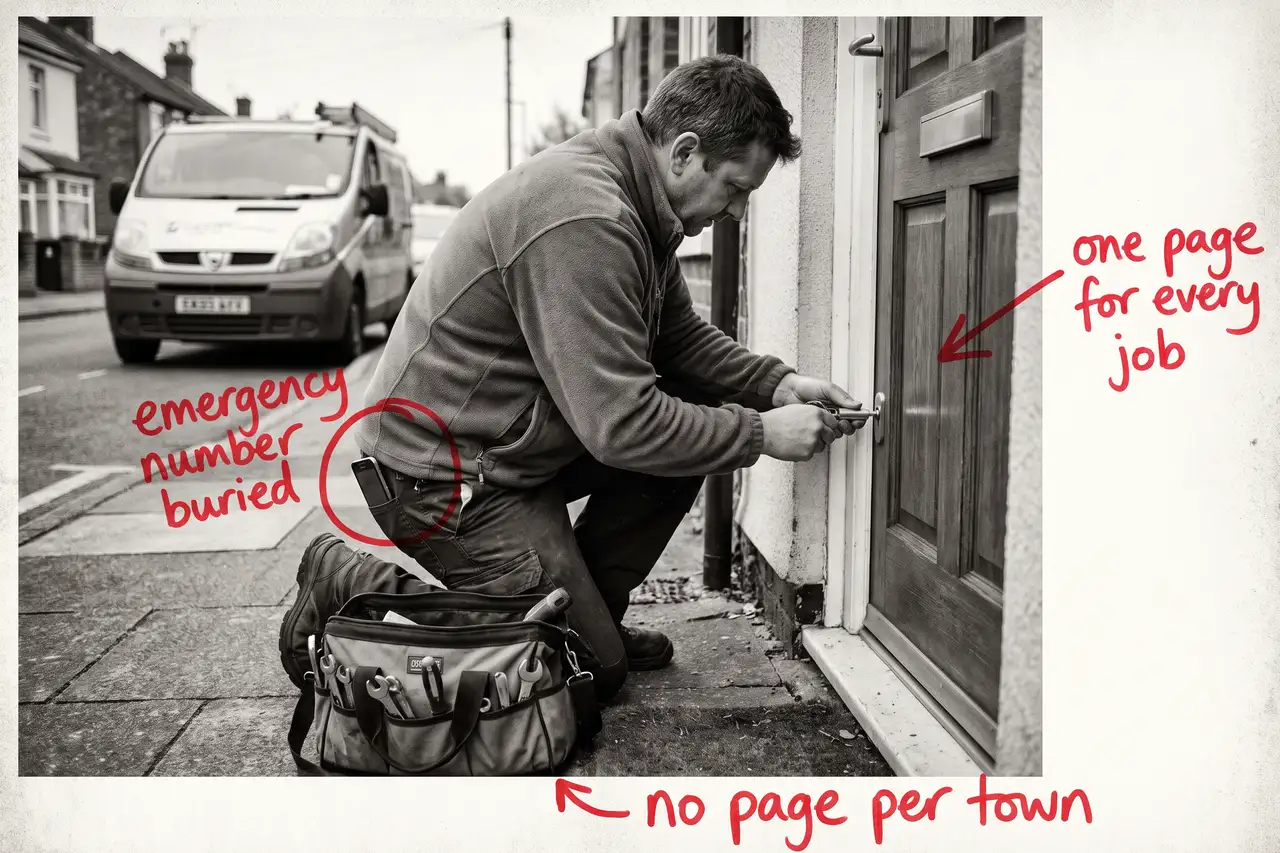
- One services page for every job
- You list thirty towns and rank in none of them
- ‘Call for a quote’ in a trade people are scared of
- Nothing on the site says who is turning up
- You are counting visits, not calls by job
Most locksmiths have four of these at once. None of them needs a new website, and all of them can be done from the van in the quiet hours.
Not Sure where to start?
All of this is a couple of quiet weekends if you know how people search for a locksmith and how to set up a Business Profile that wins the map, and a year of paying a call centre for your own jobs if you do not. If you would rather someone fixed the profile, wrote the job and town pages, put the prices on the site and told you plainly which towns are now ringing you, that is what our SEO & AI service for locksmiths does.
Why Is My Locksmith Website Not Getting Calls? The Full Guide
Work through these in order. The Business Profile comes first because it is where the emergency calls come from, and the job pages come second because they are what turns a planned search into a booked job.
You are not in the map box for ‘locksmith near me’
Search ‘locksmith near me’ from your phone, standing in a customer’s town. The map with three names is what every locked-out person sees first, and those three came from Google Business Profiles, not websites. If you are not in that box, or you are in it with a stock padlock photo, hours that stop at five and a review from 2023 nobody answered, the call went to someone else before your site was ever opened.
Open your profile as a customer would. Is the primary category ‘Locksmith’ rather than something vaguer? Is the service area set to the towns you actually cover, so Google shows you there rather than only at your home address? Do the hours say what you actually do, including the night cover, rather than office hours you copied from somewhere? Are the photos you, the van and real jobs? Has every review been answered, including the grumpy one?
Then ask for a review at every job, with the link, and ask the customer to mention the town and what you did. A review that says ‘got us back into the house in Marlow at midnight’ does more than ten that say ‘great service’.
One services page for every job
A person locked out searches ’emergency locksmith’ and the town. A landlord searches ‘lock change between tenants’. Someone whose door will not lock searches ‘uPVC door lock repair’. Someone who has just moved searches ‘should I change the locks when I move house’. A shop manager searches ‘commercial locksmith’ and the county. Different people, different urgency, different budgets, and most locksmith websites answer all of them with one page that lists twelve services in a row.
Google cannot rank a list against a page that explains the job properly, and the person reading a list cannot tell whether you do uPVC mechanisms every week or have never seen one.
Write a page for each job you want more of. What it involves, what it usually costs and what changes that, how long it takes, whether you carry the parts on the van, and what the customer should do while they wait. Start with the two or three jobs that pay for the van, not the full list.
You list thirty towns and rank in none of them
A mobile trade lives on town searches, and a footer that lists every town within an hour ranks for none of them. ‘Locksmith High Wycombe’ and ‘locksmith Beaconsfield’ are different searches by different people, and Google needs a page about each to show you for either.
Pick the six or eight towns you genuinely want to be called out to. Give each its own page: the jobs you do most there, the estates and the kind of doors you see, how long it takes you to get there from where you are based, and the number. Do not write the same page eight times with the town name swapped. If you cannot say something true about the town, you do not need the page yet.
Set the Business Profile service area to the same towns, so the map and the site agree.
‘Call for a quote’ in a trade people are scared of
Everyone has heard about the locksmith call-out that ended with a three-hundred-pound bill for a five-minute job. When someone is choosing a locksmith on a doorstep, the first thing they are worried about is that. If your site says nothing about price, they assume you are one of those and keep scrolling until they find a site that gives a number.
Put the call-out fee on the site, the typical price for the common jobs, and the things that change it: time of night, the lock type, whether the lock survives. Say there are no hidden charges and mean it. You do not need a fixed price for every job nobody has seen. You need to be the site that was honest about money when nobody else was.
That price page is also what AI tools quote when someone asks what a locksmith should cost, so it earns its place twice.
Nothing on the site says who is turning up
A homeowner is about to let a stranger into the house at night, or a landlord is about to hand over keys to someone they found on a phone. They want a face, a name, a photo of the van, and something that says you are who you say you are: how long you have been doing this, whether you are DBS checked, which trade body you belong to if any, a landline as well as a mobile and an address that is more than a postcode.
Most locksmith websites have a stock photo of a padlock, a paragraph about ‘quality service’ and a contact form. Nobody on a doorstep fills in a contact form. Put you, the van and the checks on one page in words, and make the number the first thing on the phone screen with tap-to-call.
You are counting visits, not calls by job
A locksmith website can double its visits and produce no more calls, usually because the visits are people two counties away, students researching how locks work, or your own competitors.
Put a tracked phone number on the site so you know which calls came from it, and note the job and the town for each. In Search Console, look at which searches you appear for and whether they are the job and town searches you want. If your biggest search is your own name, the site is not bringing you anyone new yet.
Once you can see calls by job type and town, you know which town page to write next and whether the call centre is still worth paying. Judge the site on that, not on the visit count.
Common Mistakes
If you are still searching why is my locksmith website not getting calls after a couple of months of changes, one of these is usually why.
- Redesigning the website before fixing the Business Profile. The emergency call comes from the map, and the map does not care how the homepage looks.
- Listing every town you would drive to. A footer list ranks for nothing. Six real town pages beat thirty names.
- Hiding the price. Callers find a number somewhere, and if it is not yours they assume the worst about you.
- A contact form as the main call to action. Nobody locked out fills in a form. The number goes first, and it has to be tap-to-call.
- Judging it after a month. The profile can move in weeks. Job and town pages take months to rank. Fix the list, then give it a quarter.
DIY lane vs done for you lane
DIY lane:
Fix the Google Business Profile first: the right category, a service area that matches the towns you cover, the real hours including night cover, photos of you and the van, every review answered and a review request at every job. Write a page for each of your two or three best jobs with the price on it, and a page for each of your six best towns with something true about each.
Then put you, the van and your checks on one page, make the number the first thing on a phone screen, put a tracked number on the site and leave it alone for a couple of months while you watch calls by job and town.
Done for you lane:
This is the first two months of our SEO & AI service for locksmiths. Business Profile sorted, job pages written with the prices on them, town pages built for the places you want calls from, the page about you written, structured data added so Google and the AI tools can read it all, and call tracking by job and town set up.
You get told which jobs and towns are now bringing calls, which are not yet, and why. Then we keep going.
Related Guides on the wall
If you are working out why a locksmith website is not getting calls, these three cover the individual fixes in more depth.
- Local SEO Checklist Guide for the Business Profile, the service area and the town pages, in order.
- Why Is My Business Not Showing On Google Maps? for getting into the map box in the first place.
- Why Is My Electrician Website Not Getting Calls? for the same problem in a neighbouring trade, with the emergency call at the centre of it.
Why Is My Locksmith Website Not Getting Calls FAQs

Usually because it comes up for your own name and not for the searches that bring new work, or because the people who do land on it cannot see a price, a face or a number to tap. Check what you actually rank for in Search Console, then check what a stranger sees on a phone in the first five seconds.
More than almost any other trade. The emergency call is decided in the map box before anyone opens a website, and the map box is built from Business Profiles. A complete profile with the right category, a service area, real hours and answered reviews is the single biggest thing most locksmiths can fix.
Yes. A call-out fee, typical prices for the common jobs and what changes them. People are frightened of being overcharged by a locksmith, and a site that gives a number is trusted over one that says ‘call for a quote’. You lose the callers who were never going to pay it and win the rest.
As many towns as you genuinely want to be called out to, usually six to ten, each with the jobs you do there and something true about the place. A list of thirty towns in the footer ranks for none of them. Set the Business Profile service area to match.
The Business Profile can move within weeks once it is fixed and reviews start arriving. Job and town pages usually take a quarter or two to rank. Judge it over six months on calls by job and town, not on visits, and keep whatever else is bringing work running until your own pages carry the load.
A locksmith website not getting calls is nearly always a matter of the profile, the price and the person, in that order. Fix the map result first, put the price and your face on the site, and the rest follows from there.
Like this guide?
Tell Google you want more like it. One click, no sign-up, and FlyPost guides start showing up more often in your search results.
Add FlyPost as a preferred sourceTakes you to Google, then straight back here.