

How Do I Get More Clients For My IT Company?
The six things a business searches for before it switches IT provider, and most IT company websites answer none of them
If you are searching how to get more clients for an IT company, you have probably already done the obvious. The help desk answers inside the SLA, the clients you have renew every year and send the odd referral, the engineers are good and the website was rebuilt not long ago with a dark hero image, a wall of partner logos and a ‘book a call’ button. Yet the pipeline is quiet, the enquiries that do arrive are for a laptop repair or a one-off cabling job, and the businesses in your area that are fed up with their current provider seem to end up with a national managed service provider instead.
That is rarely one big problem. It is a short list of things a business checks before it switches IT provider, usually after the third outage or the renewal letter, and most IT company websites answer none of them because they were written for other IT people rather than the office manager doing the searching.
Quick Version
A business finds a new IT provider three ways: a search for the service plus the town, a search for a specific problem or project such as a Microsoft 365 migration or Cyber Essentials, and a comparison search once they have two names and want to know the price and how switching works. Most IT company websites win none of them, because every service is on one page, there is no price anywhere and nothing on the site speaks to the business that is leaving someone.
The six things to check, in order:
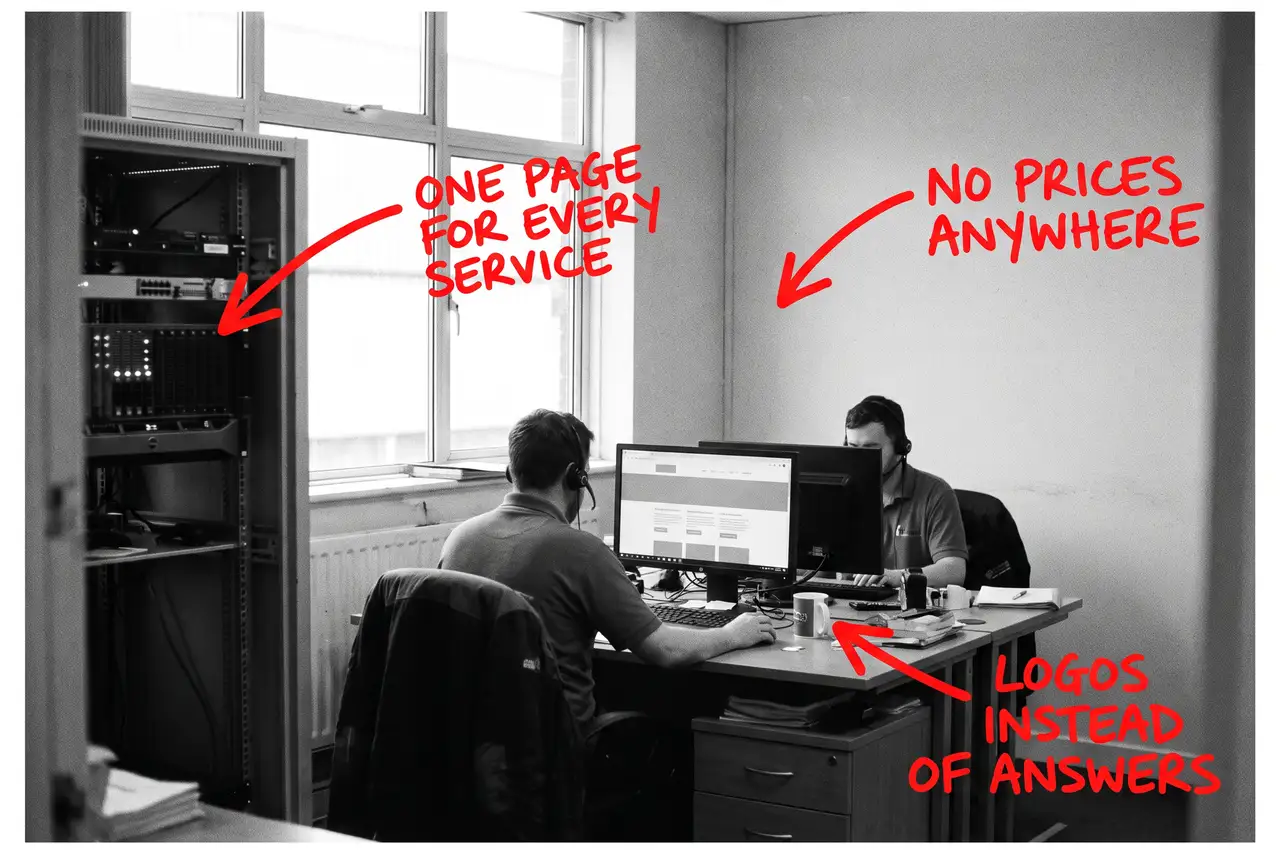
- Every service is on one page, from cabling to cloud
- There is no price anywhere
- There are no sector pages, so the buyer cannot see themselves
- The partner logos are doing the talking
- There is nothing for the business that is switching
- You are counting visits, not enquiries by service
Most IT companies have four of these at once. None of them needs a new website, and none of them needs a sales team.
Not Sure where to start?
All of this is a few weeks of somebody’s time if you know how a business searches for IT support and how to write a service page that ranks, and another year of a quiet pipeline if you do not. If you would rather someone wrote the service and sector pages, published the pricing, explained switching and told you plainly which searches are now bringing enquiries, that is what our SEO & AI service for IT companies does.
How Do I Get More Clients For My IT Company? The Full Guide
Work through these in order. The service pages come first because they are where the enquiries worth having come from, and the pricing page comes second because it decides whether the buyer books the call.
Every service is on one page, from cabling to cloud
An office manager types ‘IT support’ and the town. A finance director types ‘managed IT services’ and the county. A practice manager types ‘Microsoft 365 migration’. A director who has just had a near miss types ‘cyber security for small business’. Four different buyers with four different budgets, and most IT company websites answer all of them with one services page that lists managed support, cloud, cyber, VoIP, connectivity, hardware and ‘much more’.
Google cannot rank a bullet point against a page that gives the service a proper explanation, and the office manager cannot tell from a list whether managed support is what you do or something you also do.
Write a page for each service you want more of. What it includes, who it suits, how onboarding works, what the response times are, roughly what it costs and how to start. Begin with the two or three services that pay for the business, not the full catalogue.
There is no price anywhere
Before a business books a call with any IT provider, somebody searches ‘how much does IT support cost per user’ or ‘managed IT services pricing UK’. They are not looking for the cheapest. They are looking for a number, because a provider that hides its prices is assumed to be expensive, and because nobody wants to sit through a discovery call to find out the answer is three times the budget.
IT companies hate publishing prices because every client is different, and that is fine. Write a page that explains how you price: per user per month ranges by tier, what is included at each level, what is extra, what a typical onboarding costs and what moves the number up or down. Say what your minimum client size is.
That page ranks for the pricing searches on its own, it filters out the enquiries you would never win, and it is what AI tools cite when someone asks what IT support should cost.
There are no sector pages, so the buyer cannot see themselves
A law firm wants to know you understand case management systems and client confidentiality. A school wants to know you have worked with safeguarding filters and a term-time calendar. An accountancy practice wants to know you can handle the January peak and the software they live in. On most IT company websites the only evidence is a row of client logos with no words next to them.
Write a page for each sector you want more of. What those firms typically run, what goes wrong, what you do differently for them and what the first thirty days look like. If you have worked with firms like them, say so in general terms without inventing anything.
Four or five proper sector pages beat twelve industries listed in the footer, and each one ranks for ‘IT support for’ plus the sector in your area.
The partner logos are doing the talking
Microsoft Partner, Cyber Essentials Plus, a vendor accreditation and an ISO badge mean something, but on most IT company websites they are a logo strip in the footer and nothing else. A buyer who does not work in IT cannot tell what a partner status lets you do for them, and an AI tool cannot cite a logo.
Write each one out. What the status or certification is, what it lets you do for the client, and why it matters to them. If Cyber Essentials is something you can take a client through, say so on its own page, because ‘Cyber Essentials certification help’ is a search in its own right.
The same goes for the team. Named engineers, what they look after and how long they have done it, rather than a group photo.
There is nothing for the business that is switching
Almost every new client an IT company wins is leaving somebody. They are worried about downtime, about the old provider holding the passwords hostage, about what happens to their licences and about how long the handover takes. On most IT company websites the word ‘switching’ does not appear.
Write a page on how switching works. What you need from the old provider, what you do in the first week and the first thirty days, how you handle the admin passwords and the domain, what the client has to do and what they do not. Point every service page at it.
That page ranks for ‘switching IT support provider’ and the questions around it, and it is the page the buyer is actually looking for when they land on your site at nine in the evening after another outage.
You are counting visits, not enquiries by service
An IT company website can double its visits and win no more clients, usually because the visits are people looking for a job, students, or someone in another country searching a product you once wrote a blog post about.
Put a tracked phone number on the site, keep the enquiry form short and ask which service they are interested in, and record which page each enquiry came from. In Search Console, look at which searches you appear for and whether they are the services, sectors and towns you want. If your biggest search is a blog post about a Windows error, the blog is doing the ranking and the service pages are not.
Once you can see enquiries by service and sector, you know which page to write next and which part of the business the website is actually feeding. Report that to the directors instead of the visit count.
Common Mistakes
If you are still searching how to get more clients for an IT company after a couple of months of changes, one of these is usually why.
- Writing for other IT people. A page full of acronyms and vendor names ranks for nothing an office manager types and reassures nobody.
- Hiding the price. Buyers search it before they book a call, and a page with honest per-user ranges gets the enquiry from someone who has already accepted the number.
- Letting the logos do the talking. A partner badge and a client logo wall tell a buyer nothing about what you would do for them. Words do.
- Forgetting the switcher. The buyer is leaving someone and wants to know how the handover works. If the site never says, they ring the provider that did.
- Judging it after a month. The Business Profile can move in weeks. Service and sector pages take a quarter or two to rank, and IT contracts run on annual cycles. Fix the list, then judge it over a year.
DIY lane vs done for you lane
DIY lane:
Write a page for each of your two or three main services, with what is included, response times and how to start. Write the pricing page with per-user ranges and your minimum client size. Write a page for each sector you want more of. Write out what each partner status and certification lets you do for the client. Write the switching page and point everything at it.
Then put a tracked number on the site, ask which service on the enquiry form, and leave it alone for a quarter while you watch enquiries by service and sector.
Done for you lane:
This is the first two months of our SEO & AI service for IT companies. Service and sector pages written for the work you want more of, the pricing page written with honest ranges, the switching page written, certifications and the team put in words, Business Profile sorted, IT service structured data added so Google and the AI tools can read it all, and enquiry tracking by service set up.
You get told which services, sectors and areas are now bringing enquiries, which are not yet, and why. Then we keep going.
Related Guides on the wall
If you are working out how to get more clients for an IT company from your own website, these three cover the individual fixes in more depth.
- Service Page Checklist: Turn More Visits Into Enquiries for turning each service page into one that ranks and gets the enquiry.
- AI Search Visibility: How Small Businesses Get Cited for what AI tools look for before they name a provider in an answer.
- Google Business Profile Optimisation for getting into the map result for ‘IT support near me’ with the right category, hours and reviews.
How Do I Get More Clients For My IT Company FAQs

Write a page for each service and sector you want more of, publish honest per-user price ranges, explain how switching works and put your certifications and team in words. Businesses in your area are already searching the service and the town the week they decide to switch. The provider that answers those searches best gets the call.
Yes, as per-user ranges with what is included at each tier and your minimum client size. Buyers search the price before they book a call, and a provider that hides it is assumed to be expensive. A plain pricing page is also what AI tools cite when someone asks what IT support should cost.
For the searches that matter, yes. ‘IT support’ plus the town, and a sector plus a service, are won by the provider with a proper page, a plain price and a switching page, not the biggest name. The nationals run template sites that leave the same gaps everywhere.
For every sector you want more of, yes. Four or five proper sector pages that say what you do for firms like them beat twelve industries listed in the footer, and each one ranks for ‘IT support for’ plus that sector in your area.
The Business Profile can move within weeks once it is fixed. Service, pricing and sector pages usually take a quarter or two to rank, and IT contracts run on annual cycles, so judge it over a year on enquiries by service rather than on visits.
Getting more clients for an IT company from your own website is nearly always a matter of writing for the office manager who is switching rather than for other IT people. Start with the service pages and the pricing page, write the switching page everyone else forgot, and the rest follows from there.
Like this guide?
Tell Google you want more like it. One click, no sign-up, and FlyPost guides start showing up more often in your search results.
Add FlyPost as a preferred sourceTakes you to Google, then straight back here.