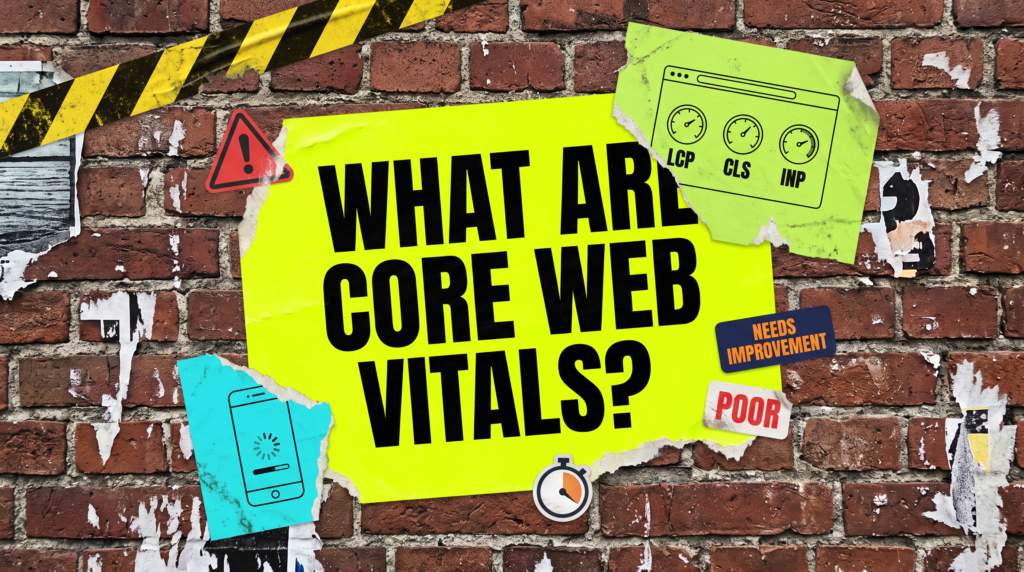
What Are Core Web Vitals?
And when a small business should actually bother
If you are wondering what are Core Web Vitals, you have probably just had an email from Search Console telling you something on your site needs improvement. Here is the short version. They are three measurements of speed and stability, and most of the time that email is not worth your afternoon.
Quick Version
Core Web Vitals are three numbers Google collects from real visitors to your site. They cover how fast the main content appears, how quickly the page responds when somebody taps it, and how much the layout jumps about while it loads.
The three, and what Google counts as good:
- LCP, largest contentful paint. Good is 2.5 seconds or less. Poor is over 4 seconds.
- INP, interaction to next paint. Good is 200 milliseconds or less. Poor is over 500 milliseconds.
- CLS, cumulative layout shift. Good is 0.1 or less. Poor is over 0.25.
- Your page takes the status of its worst metric, so one bad number sets the label.
Search Console sorts your pages into good, needs improvement and poor. That sorting is the whole practical answer to what are Core Web Vitals worth to you. Poor means do the work. Needs improvement on its own means leave it alone.

Not Sure where to start?
Speed work is one of the few technical jobs where you can lose a fortnight and move nothing that matters. If you want somebody to look at your numbers and tell you honestly whether they are worth fixing, that is part of what our packages cover.
What Are Core Web Vitals? The Full Guide
The decision comes first, because it decides whether you need the rest of this at all. Then the plain English version of what the three metrics actually measure.
The decision rule: poor means act, needs improvement means leave it
Open the Core Web Vitals report in Search Console and look at one thing only. Have you got any URLs marked poor.
If you have not, and your pages are split between good and needs improvement, walk away. You will spend an absurd amount of time fixing those needs improvement pages when you do not need to. As long as the page loads, it is fine.
If you are flooded with poor URLs, that is a different conversation. Spend the time and do what needs doing, because at that point real visitors are having a genuinely bad experience on your site.
This is not us being contrary. Google’s own help page for the report says to fix everything labelled poor first, and that URLs labelled needs improvement could be improved but are less important to fix. The industry reads that as a to-do list. It is a priority order, and the bottom of it is optional.
LCP, INP and CLS in plain English
LCP is how long until the biggest thing on screen has loaded, usually your hero image or your headline. Google wants that inside 2.5 seconds. Past 4 seconds it counts as poor, and on a phone people leave before they have seen anything at all.
INP is how long the page takes to react when somebody taps or clicks. Good is 200 milliseconds or less. A page that looks loaded but ignores your first three taps has an INP problem, and it is nearly always too much JavaScript.
CLS is the annoying one. It measures how much the page shifts about as things load, so the button you were aiming at moves and you tap an advert instead. Good is 0.1 or less, and images without a width and height set are the usual culprit.
That is the whole vocabulary. You do not need to know more than this to make a sensible decision about whether to act.
Where the numbers come from, and why yours might be missing
The scores in Search Console are not a test that runs on demand. They come from the Chrome User Experience Report, which is real data from real Chrome users, gathered over a rolling 28 days and reported at the 75th percentile.
That last part matters more than it sounds. The number you see is what three quarters of your visitors experienced or better, so one slow visit does not sink you and one fast one does not save you.
It also means a small site with modest traffic often has no data at all, and Search Console simply says no data available. That is not a failure and it is not something to fix. Google’s documentation confirms only indexed URLs appear in the report, and that a group of URLs needs a minimum amount of data before it will be shown.
If you want a number anyway, run a single page through PageSpeed Insights. Just remember that is a lab test on a simulated device, and it is not the thing Search Console is grading you on.
It is a ranking factor, but it is not the ranking factor
Google recommends good Core Web Vitals and says page experience aligns with what its core ranking systems seek to reward. That is true, and it is also about as soft as Google’s language ever gets.
What it does not say anywhere is that a needs improvement score is holding you back. Relevance, content and links do the heavy lifting. Speed is a tiebreaker, and it matters far more for a shop taking payments than for a five-page service site.
If you are not ranking, speed is rarely the reason. A page nobody links to, that answers nothing, will not rank at two seconds either.
The cost of chasing green
Here is the part the industry never puts in the proposal. People will spend hours fault finding, going through each individual page one at a time, trying to understand how to get it from needs improvement to good.
They might spend two or three weeks on that, when they could have spent those two or three weeks on outreach, or on work that would have brought paying customers to their door. That is the real price of a green score, and it never appears on the invoice.
Fix poor. Ignore needs improvement. Go and do something that brings in money.
Common Mistakes
The mistakes here are not really technical ones. If you have just looked up what are Core Web Vitals because something alarmed you this morning, start with this list.
- Treating a Search Console notification as urgent. Nine times out of ten it is really a non-issue, and that email is automated rather than a judgment on your business.
- Chasing a perfect 100 in PageSpeed Insights. That is a lab score on a simulated device and it is not what the report measures.
- Fixing one page at a time. Search Console groups similar pages together, so the fix nearly always belongs in your theme or your template rather than in a single post.
- Installing three caching plugins. They fight each other, and a broken site scores worse than a slow one.
- Believing a new number the day after a change. It is a rolling 28-day window of real visitor data, so give it a month before you judge anything.
DIY lane vs done for you lane
DIY lane:
Open the Core Web Vitals report, look at the poor tab, and see what is in it. Nothing there means close the tab and go back to work, and that is a genuine result rather than a cop out.
If you do have poor URLs, the cheap wins are nearly always the same three. Compress your images, set a width and height on them, and turn on one caching plugin. Then wait a month before you look again.
Done for you lane:
We check this as part of a technical review, and we will tell you when the honest answer is do nothing. That happens a lot and it saves people weeks.
Where there is real work, it is usually images, a bloated theme or too many plugins, and it is a job of days rather than months. You will not get a fortnight of invoices for moving one page from amber to green.
Related Guides on the wall
If you came here asking what are Core Web Vitals, these guides cover the work that actually moves the numbers.
- Why Is My Website So Slow? for what is actually dragging your load time down.
- Technical SEO Checklist For WordPress for the wider list this sits inside.
- Website Not Getting Enquiries? for when the site is quick and the phone is still quiet.
What Are Core Web Vitals FAQs

Three measurements of how your site feels to a real visitor. How fast the main content shows up, how quickly the page reacts to a tap, and how much the layout jumps while it loads. Google collects them from actual Chrome users rather than by running a test on demand.
They are part of page experience, which Google says aligns with what its core ranking systems seek to reward. In practice they behave like a tiebreaker rather than a lever. If you are not ranking, relevance and content are far more likely to be the reason than a needs improvement score.
Usually not. If none of your URLs are marked poor, leave it. Google’s own help page puts needs improvement below poor in priority, and the two or three weeks you would spend chasing it are better spent on work that brings in enquiries.
Because a group of URLs needs a minimum amount of real visitor data before it will be shown, and only indexed URLs appear in the report at all. Plenty of perfectly healthy small sites never get enough traffic to appear. Run PageSpeed Insights on a single page instead.
LCP of 2.5 seconds or less, INP of 200 milliseconds or less, and CLS of 0.1 or less. Poor starts above 4 seconds, above 500 milliseconds, and above 0.25. Your page takes the status of its worst metric, so one bad number sets the label.
Core Web Vitals are worth ten minutes of your attention and very rarely worth a fortnight of it. Check for poor URLs, fix those, and leave the rest alone.
Like this guide?
Tell Google you want more like it. One click, no sign-up, and FlyPost guides start showing up more often in your search results.
Add FlyPost as a preferred sourceTakes you to Google, then straight back here.