

Google Crawling Weird URLs? What To Fix And What To Ignore


If you’ve noticed google crawling weird urls, you’re probably seeing strange parameters, filtered pages, search URLs, tracking URLs, or odd WordPress paths showing up in crawl data.
That can look alarming. Sometimes it is harmless. Sometimes it means your site is creating crawlable paths you never meant Google to follow.
The trick is knowing the difference. A few odd URLs are normal. Hundreds or thousands of pointless crawl paths can waste crawl activity, create duplicate signals, and make the site harder to understand.
The quick version
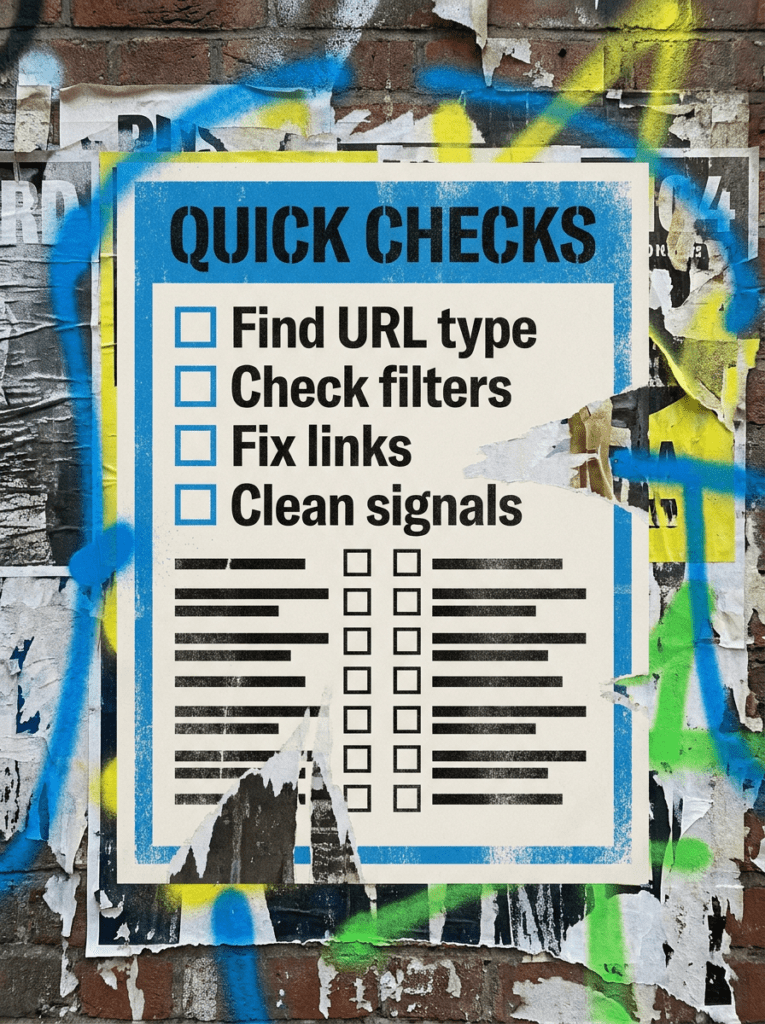
If you only have 20 minutes, start here. These are the fastest checks when you spot google crawling weird urls.
- Check what type of weird URLs Google is finding
- Separate harmless crawl noise from real crawl waste
- Look for parameters, filters, search pages, and duplicate paths
- Fix the source instead of only hiding symptoms
- Use clean internal links, canonicals, and sensible crawl controls
If that already feels like a lot, do not worry. Below is the full process in the right order.
Not sure where to start?
The biggest mistake people make when they see google crawling weird urls is assuming every strange URL needs urgent fixing.
It does not.
Google crawls weird URLs for all sorts of reasons. Filters, parameters, internal search pages, tracking links, old plugins, staging leftovers, and messy internal links can all create paths Google discovers.
The better place to start is working out whether the weird URLs are being indexed, wasting crawl activity, creating duplicates, or just sitting there harmlessly in the background.
Our full guide: Google Crawling Weird URLs
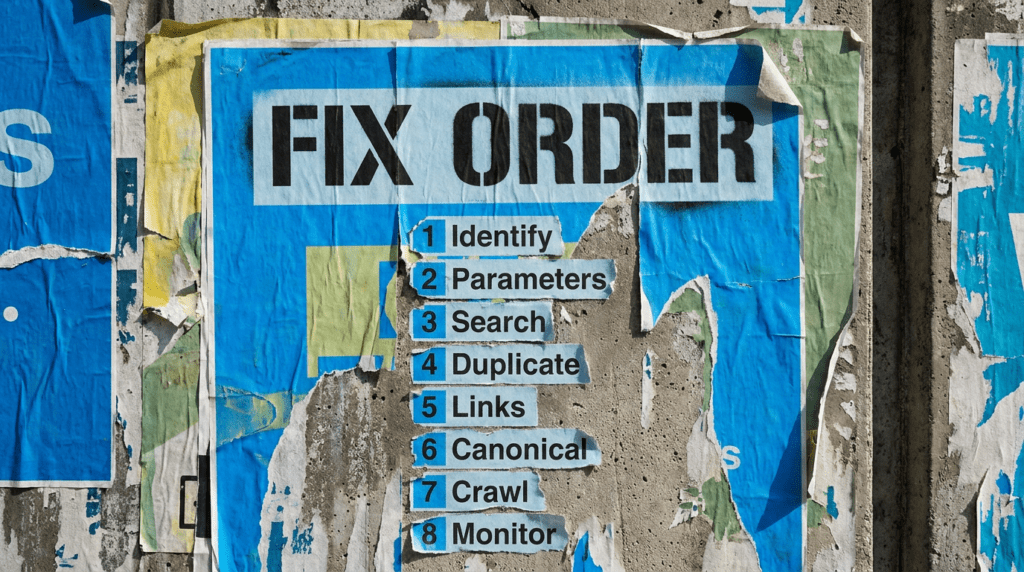
Work through this in order. Randomly blocking URLs without understanding the source is how small technical problems become bigger ones.
Step 1: Identify what kind of weird URLs Google is crawling
- Export examples from Search Console or your crawl tool
- Group URLs by pattern
- Look for repeated parameters
- Check whether the URLs return 200, 301, 404, or noindex
- Separate one-off oddities from repeated patterns
You need patterns, not panic. One strange URL is not the same as a crawl trap.
Step 2: Check parameter and filter URLs
- Look for question marks in URLs
- Check filters, sorting, colours, sizes, categories, or search refinements
- Review ecommerce and listing pages carefully
- Avoid letting endless combinations create crawl paths
- Keep useful listing pages separate from pointless filtered versions
Google’s guidance on faceted navigation URLs explains that parameter-based filters can create large or even infinite URL spaces. That can cause overcrawling and slow the discovery of useful new URLs.
Step 3: Check internal search and tag pages
- Look for internal search result URLs
- Review tag and archive pages
- Check author, date, and category archive behaviour
- Remove links to thin pages where needed
- Avoid letting low-value pages become crawl paths
WordPress and ecommerce sites are especially good at creating pages nobody asked for. That is not a compliment.
Step 4: Look for duplicate URL patterns
- Compare weird URLs against clean versions
- Check whether the same content appears under multiple URLs
- Review mobile, print, tracking, or filtered versions
- Check whether Google has chosen a different canonical
- Decide which version should matter
Google’s Search Console Help explains that when Google finds multiple URLs with essentially the same content, it groups them as duplicates and chooses a canonical URL.
Step 5: Clean up internal links
- Link to clean URLs only
- Avoid linking to filtered or parameter-heavy versions
- Check menus, breadcrumbs, footers, and related post blocks
- Fix links created by plugins or widgets
- Keep important paths simple
Your own site should not be teaching Google to crawl junk.
Step 6: Use canonicals carefully
- Point duplicate versions to the preferred page
- Avoid mixed canonical signals
- Keep internal links aligned with the canonical target
- Do not use canonicals as a lazy fix for every crawl problem
- Check implementation after changes
Canonicals help Google understand the preferred version, but they do not stop crawling on their own.
Step 7: Decide what to block, remove, or leave alone
- Leave harmless one-off URLs alone
- Remove links that create low-value crawl paths
- Use noindex where pages should exist for users but not search
- Use robots controls carefully for crawl traps
- Return proper 404s for nonsense URLs that should not exist
Do not block everything just because it looks untidy. The goal is control, not technical whack-a-mole.
Step 8: Monitor whether the problem improves
- Re-crawl the site after fixes
- Watch crawl stats and indexing reports
- Check whether weird URL patterns reduce
- Look for new patterns caused by plugins or templates
- Keep reviewing after site changes
Technical SEO is not about making a site look perfect in a tool. It is about helping Google spend more time on pages that actually matter.
Common mistakes
These are the things that usually sit behind google crawling weird urls, especially on WordPress, ecommerce, and sites with filters or older plugins.
- Ignoring URL parameters
- Letting internal search pages create crawl paths
- Linking to filtered versions from the site
- Using canonicals without fixing internal links
- Blocking URLs without understanding the impact
- Keeping thin tag or archive pages live
- Treating every weird URL as an emergency
DIY lane vs done for you lane
DIY lane:
If you want to fix google crawling weird urls yourself, start by grouping URL patterns, checking parameters, cleaning internal links, reviewing canonicals, and removing low-value crawl paths.
Done for you lane:
If you want the quicker route, we can help you diagnose crawl waste, clean up technical signals, and build a more controlled SEO & AI setup without breaking useful pages in the process.
Related Guides on the wall
If you’re dealing with google crawling weird urls, these guides will help you fix the signals that usually cause crawl confusion.
- Read Technical SEO Checklist for WordPress if your site setup may be creating crawl issues
- Use Internal Linking Guide to make sure Google is being pointed toward the right pages
- Read WordPress Canonical Tags if duplicate URL versions are creating mixed signals
Google Crawling Weird URLs FAQS

Google usually finds weird URLs through parameters, filters, internal search pages, old links, plugins, tracking links, or messy internal linking.
Not always. A few odd URLs are normal. The problem starts when weird URLs create crawl waste, duplicate signals, or indexed pages that should not appear in search.
Sometimes, but not as a first move. First understand the URL pattern, whether the pages matter, and whether blocking them could hide a bigger problem.
Start by grouping weird URLs by pattern. Then fix the source, such as internal links, filters, parameters, canonicals, or plugin-generated paths.

Quick tip
Rather have us handle this instead of DIY-ing it? That is literally the job.


Straight talking marketing that gets results.
No pressure, no jargon. Just a clear look at what’s stopping your site from bringing in more enquiries.
Book a free site reviewLike this guide?
Tell Google you want more like it. One click, no sign-up, and FlyPost guides start showing up more often in your search results.
Add FlyPost as a preferred sourceTakes you to Google, then straight back here.