



Poor Quality Leads From Google Ads? Fix What’s Letting Bad Enquiries Through

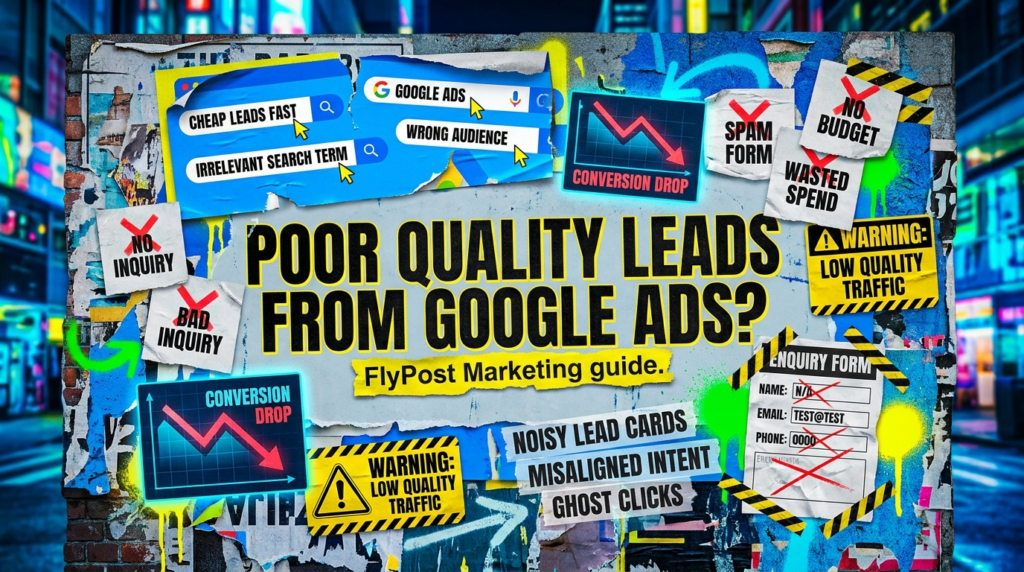
If poor quality leads google ads is the problem you’re trying to fix, the issue is usually not just “Google Ads does not work.”
Bad leads normally happen because the campaign is letting the wrong people through, asking the wrong action to count as success, or sending visitors to a page that attracts enquiries you do not actually want.
This guide is for the annoying situation where the account looks active, the forms are coming in, but the leads are weak, irrelevant, too small, too far away, too early-stage, or never likely to become customers.
The quick version
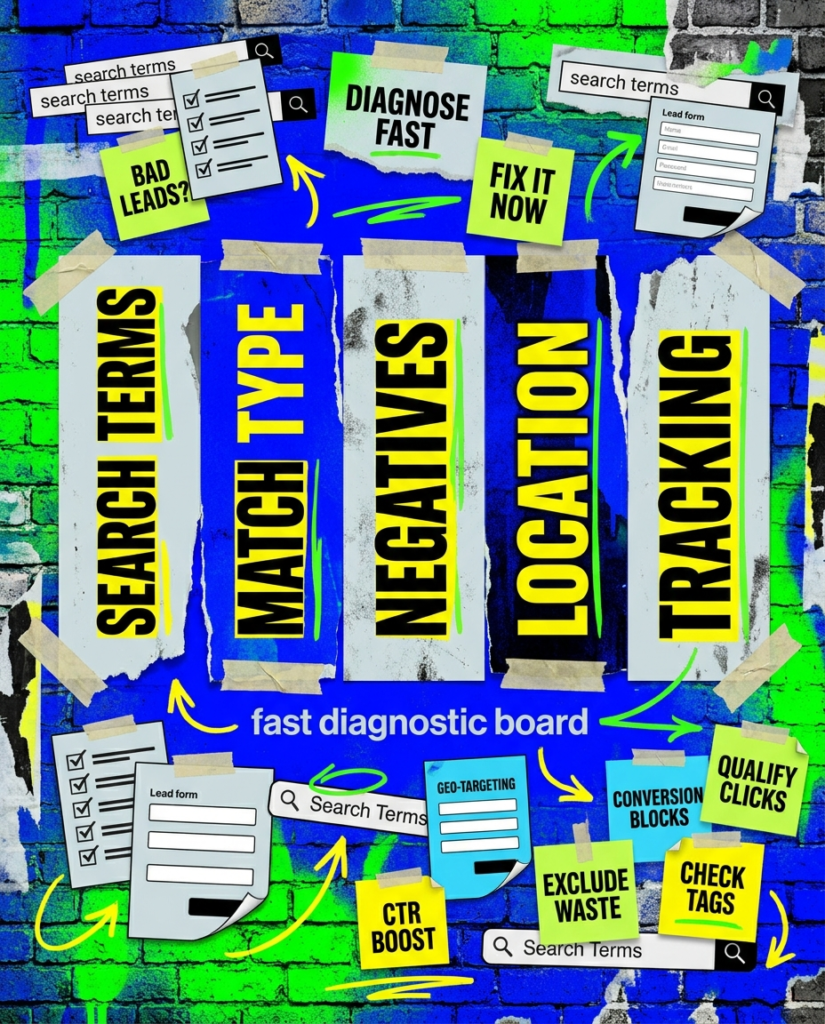
If you only have 20 minutes, start here. These are the fastest checks when poor quality leads google ads is the problem.
- Review the search terms bringing leads in
- Check broad match and loose targeting
- Add negatives for wrong-fit searches
- Tighten locations and service areas
- Make sure conversion tracking only rewards real leads
If that already feels like a lot, do not worry. Below is the full process in the right order.
Not sure where to start?
The biggest mistake people make when fixing poor quality leads google ads is blaming the form before checking who the ads are actually attracting.
The form might be part of it.
The landing page might be part of it.
But the first question is simpler: are your ads being shown to people who actually match the type of customer you want?
If the campaign is pulling in broad, cheap, vague or wrong-location searches, the lead quality problem starts before the visitor reaches your website.
Our full guide: Poor Quality Leads From Google Ads
Work through this in order. The aim is not just to get more leads. The aim is to get more of the right leads.
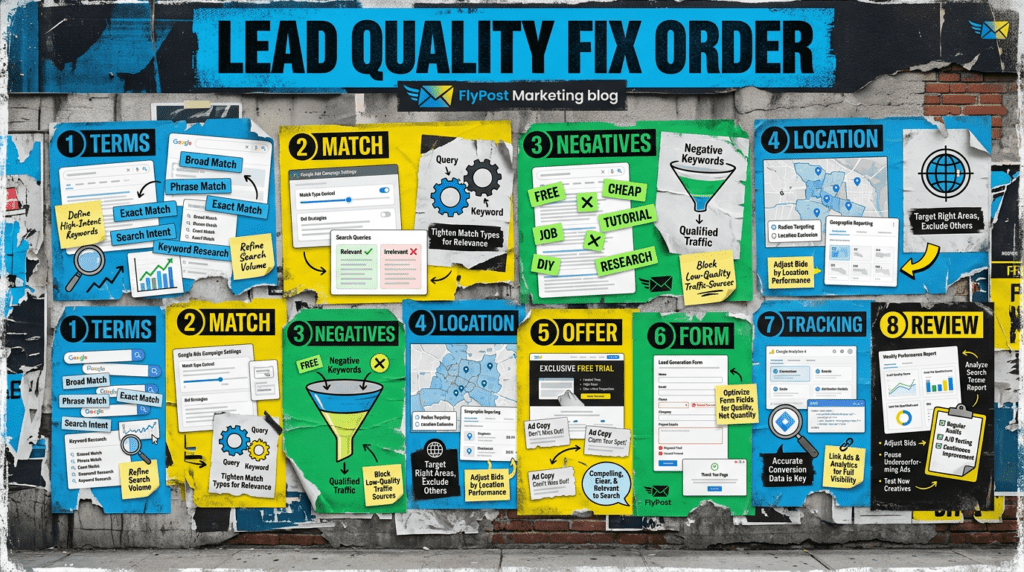
Step 1: Check the search terms behind the leads
Start with the search terms report.
Do not just look at clicks. Look at the searches that produced leads and ask whether those people were likely to become customers.
Watch for:
- Job seekers
- Free advice searches
- DIY searches
- Wrong service searches
- Wrong location searches
- Tiny-budget searches
- Research-only searches
- Searches that imply a different offer
This is where a lot of bad lead quality starts. The campaign may technically be generating leads, but the search intent is wrong.
Step 2: Review keyword match types
Keyword match types decide how closely someone’s search needs to match your keywords before your ad can show.
Google explains that broad match can show ads on searches related to your keyword, while exact match gives more control but reaches fewer searches.
- Which match types are live
- Which keywords are pulling in weak searches
- Whether broad match has enough useful conversion data
- Whether phrase or exact match would give better control
- Whether Google has too much room to interpret the intent
Broad targeting plus weak tracking is one of the easiest ways to generate rubbish leads.
Step 3: Add negatives based on lead quality, not just click waste
Negative keywords are not just for saving budget. They also help protect lead quality.
Google says negative keywords help exclude search terms and focus on the keywords that matter to customers.
Look for terms that suggest bad-fit leads, such as:
- Free
- Jobs
- Salary
- Template
- Course
- DIY
- Cheap
- Second hand
- Complaints
- Download
- Meaning
- Example
Do not add negatives blindly. A word like “cheap” might be bad for a premium service but useful for a price-led brand. The point is to exclude what does not fit your business.
Step 4: Tighten location targeting
Bad leads often come from the wrong location.
This is especially common for local service businesses. The lead comes in, but the person is outside the service area, too far away, or searching for a location you do not cover.
Check:
- Where your ads are showing
- Where leads are coming from
- Whether locations are too broad
- Whether nearby areas are wasting spend
- Whether the landing page clearly states your service area
If your campaign targets too widely, Google can spend the budget on people you were never going to serve.
Step 5: Check whether the offer attracts the wrong people
Sometimes the keyword is fine, but the offer attracts the wrong leads.
For example:
- “Free quote” may attract low-commitment enquiries
- “Cheap” messaging may attract price-only shoppers
- Vague service copy may attract the wrong job type
- No pricing guidance can create a mismatch
- Too much emphasis on speed can attract urgent but poor-fit jobs
Your ad and landing page should filter as well as attract.
A good offer does not appeal to everyone. It appeals to the right people and quietly puts off the wrong ones.
Step 6: Make the landing page qualify enquiries
A landing page should not only persuade people to enquire. It should help the right people enquire.
Add or improve:
- Clear service details
- Location or service-area information
- Who the service is for
- Starting prices or pricing guidance where useful
- What is included
- What is not included
- Trust signals
- Process details
- Stronger form questions
If every visitor can submit a vague “more info please” form with no context, you may get more leads, but not better leads.
Step 7: Check whether Google is optimising for the wrong action
This one matters.
If Google Ads is told that weak actions count as conversions, it may optimise toward more weak actions.
Google defines conversion actions as customer actions that you have defined as valuable to your business.
Check whether you are counting:
- Real form submissions
- Qualified enquiry forms
- Phone calls
- Quote requests
- Booking actions
- Email clicks
- Thank-you page visits
- Low-value button clicks
- Spam submissions
- Duplicate events
If a weak action is set as a primary conversion, Google may treat it like success. That can push the campaign toward more low-quality leads.
Step 8: Review form fields and enquiry friction
Forms can improve lead quality when they ask the right questions.
That does not mean making the form huge. It means asking enough to qualify the enquiry without killing conversion rate.
Useful fields might include:
- Service needed
- Location
- Budget range
- Timeline
- Project type
- Company name
- Preferred contact method
- Short message box
For some businesses, a shorter form brings more leads. For others, a slightly more detailed form brings fewer but better leads.
That trade-off is the point. You do not always want the easiest possible form if it lets every bad enquiry through.
Step 9: Separate sales follow-up from ad performance
Not every poor-quality result is an ad problem.
Sometimes the campaign produces decent enquiries, but the follow-up process weakens them.
Check:
- How quickly leads get contacted
- Whether missed calls are returned
- Whether the sales team knows the offer
- Whether enquiries are being judged fairly
- Whether spam is being filtered from real leads
- Whether low-budget enquiries are being tracked separately
PPC lead quality is not just a campaign setting. It is the full path from search to sale.
Step 10: Fix quality before scaling spend
Do not scale a campaign that is already producing bad leads.
Fix the quality first:
- Tighten search terms
- Add negatives
- Review match types
- Improve location targeting
- Clarify the offer
- Qualify the landing page
- Clean up conversion tracking
- Review actual lead outcomes
Then increase spend once the account has better signals.
That is how PPC becomes more useful. Not by chasing more leads at any cost, but by improving the type of leads the campaign is built to attract.
Common mistakes
These are the things businesses usually get wrong when trying to fix poor quality leads google ads.
- Judging lead quality from volume alone
- Ignoring search terms
- Letting broad match run without enough control
- Forgetting location settings
- Counting weak actions as conversions
- Sending traffic to pages that do not qualify enquiries
- Using forms that collect too little useful information
- Scaling spend before fixing lead quality
- Blaming Google Ads before checking the full sales path
DIY lane vs done for you lane
DIY lane:
If you want to fix poor quality leads google ads yourself, start with the search terms report, negative keywords, match types, location targeting, landing page quality and conversion tracking.
Done for you lane:
If you want the quicker route, we can help you clean up the account, improve the enquiry path, and build a PPC setup that focuses on better leads, not just more leads.
Related Guides on the wall
If you’re trying to fix poor quality leads google ads, these guides will help you tighten the campaign around it.
- Read Negative Keywords for Google Ads if irrelevant searches are hurting lead quality
- Use Landing Page Checklist if the page is attracting or failing to qualify the wrong people
- Read Google Ads Enhanced Conversion Guide if your tracking may be feeding Google weak conversion signals
Poor Quality Leads From Google Ads FAQs

You may be getting poor quality leads from Google Ads because the campaign is targeting loose searches, using broad match without enough control, reaching the wrong locations, or counting weak actions as conversions.
Yes, it can if the campaign does not have strong negatives, clean conversion tracking and enough control. Broad match can be useful, but it gives Google more room to interpret search intent.
Usually, yes. Negative keywords help block searches that do not fit your offer. The key is to add them based on real search terms and lead quality, not guesses.
Yes. A landing page can attract the wrong enquiries if the offer is vague, pricing is unclear, service details are thin, or the form does not qualify people properly.
Not always. First check search terms, match types, locations, landing pages and tracking. If the structure is broken, fixing the campaign may be better than stopping it completely.

Quick tip
Rather have us handle this instead of DIY-ing it? That is literally the job.


Straight talking marketing that gets results.
No pressure, no jargon. Just a clear look at what’s stopping your site from bringing in more enquiries.
Get my free website reviewLike this guide?
Tell Google you want more like it. One click, no sign-up, and FlyPost guides start showing up more often in your search results.
Add FlyPost as a preferred sourceTakes you to Google, then straight back here.