


Google Search Console AI Performance Report: What To Check

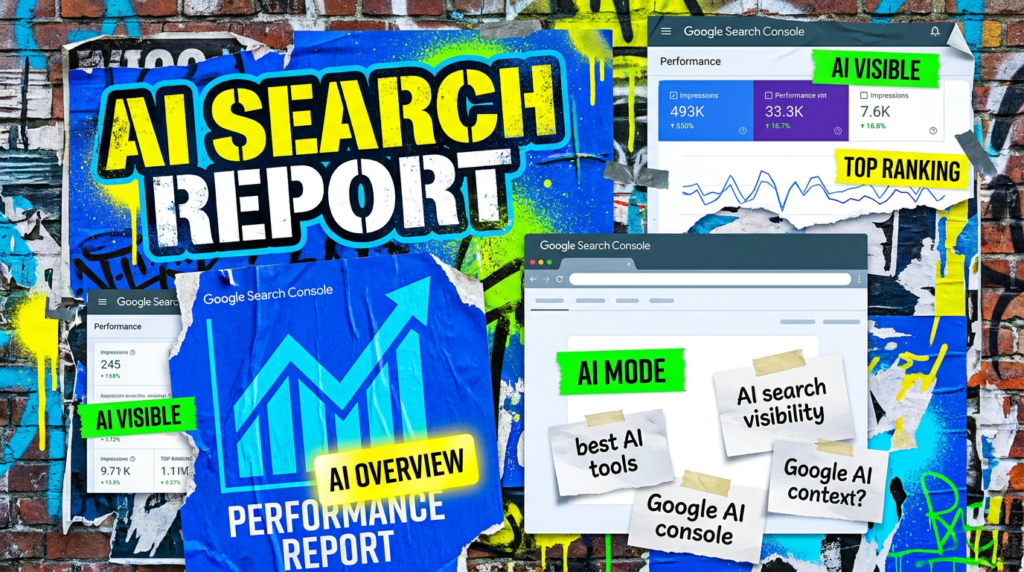
Google has finally given site owners a clearer view of AI search visibility. Useful? Yes. Complete? Absolutely not.
Google Search Console AI performance report data gives small businesses a new way to see how often their site appears in Google’s generative AI search features.
That sounds very exciting. It is useful, but keep your feet on the ground.
The report helps show visibility in places like AI Overviews and AI Mode. That can help you understand whether Google’s AI features see your content often enough to include it.
It does not tell you whether those impressions created enquiries, sales, phone calls or decent leads. It also does not cover every AI tool people use to find information.
So yes, look at it. Just do not treat it like the new holy dashboard.
Quick Version
The Google Search Console AI performance report helps you see visibility inside Google’s AI search features. That is useful, but it is only one part of the picture.
What to know:
- The report focuses on impressions from Google’s generative AI features.
- AI Overviews and AI Mode sit inside the Search version of the report.
- Search Labs experiments do not appear in this data.
- Impressions can show visibility, but they do not prove someone clicked or enquired.
- Page and query data can help you spot which topics AI search understands.
- Normal SEO still matters because Google treats generative AI optimisation as part of Search.
- The report does not replace lead tracking, normal organic reporting or common sense.
The big warning: AI impressions are not leads.
Not Sure where to start?
Start by treating this as a visibility report, not a sales report. If the numbers go up, that may mean Google’s AI features show your content more often. Good.
Now ask the useful question:
So what? Did enquiries improve? Did service page traffic move? Did brand searches increase? Did useful pages gain visibility? Did anything commercial happen? That is where the report becomes helpful instead of shiny.
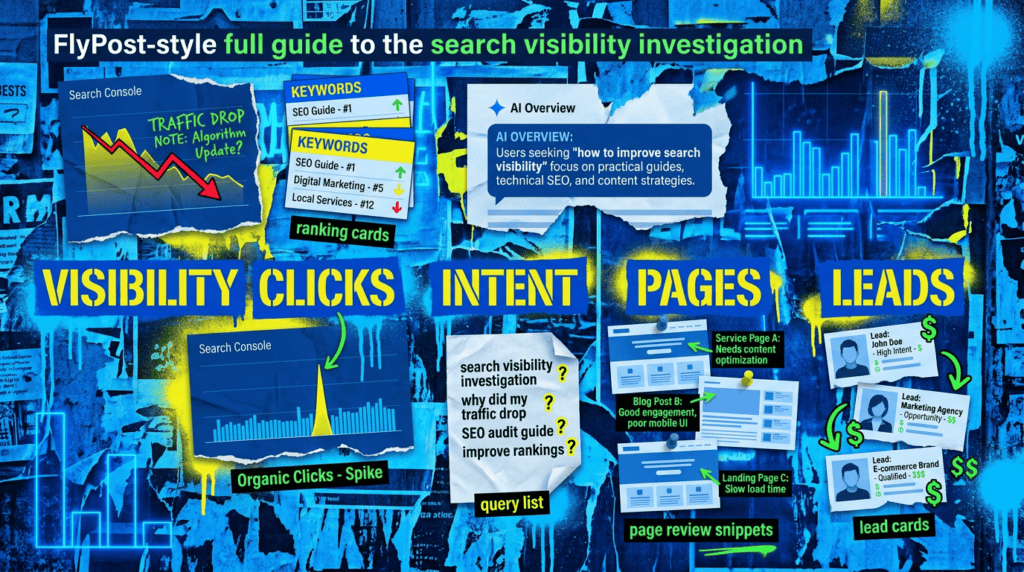
Our full Google Search Console AI performance report guide
This is not a guide for staring at another dashboard until it magically explains your business. It is a guide for using the new report without getting carried away.
What the report actually shows
Google’s Search Generative AI performance report announcement introduced dedicated Search Console reporting for impressions within generative AI features on Search. In simple terms, Google now gives site owners a clearer way to see whether their content appears in AI-driven search experiences.
That helps because AI visibility has been annoyingly hard to measure. People could see AI Overviews in the wild, but reporting often felt stitched together from manual checks, screenshots and mild frustration. This report gives you a better starting point. It can help show:
- Whether your site appears in Google’s AI search features
- Which pages earn visibility
- Which queries connect to those appearances
- How AI search visibility changes over time
- Whether certain countries or devices show different patterns
That does not mean the report explains everything. It gives you visibility data. You still need to connect that visibility to traffic, enquiries and business value.
What the report includes and misses
Google’s generative AI performance report help page says the Search report includes impressions for AI Overviews and AI Mode. It also notes that Search Labs experiment data does not appear because those experiments remain in active development. That distinction matters.
You might see AI search visibility in the real world and still not see every possible test, experiment or variation in your report. The report can help answer:
- Which pages appear in Google’s AI search features
- Whether AI visibility rises or falls over time
- Which queries connect to AI impressions
- How visibility changes by country or device
It cannot answer everything a business owner actually cares about. Useful gaps to remember:
- An impression does not prove a click.
- A click does not prove an enquiry.
- An enquiry does not prove a good lead.
- Google data does not cover every external AI tool.
- Search Console will not explain your sales pipeline.
- Reporting delays and feature rollouts can create odd-looking gaps.
That is not a criticism. It is just the job of the report. It shows visibility. It does not run the business.
How this fits with SEO and AI
Google’s AI search guidance makes the main point clearly: optimising for generative AI search is still part of SEO.
That is useful because plenty of people are trying to sell AI search like a completely separate discipline with brand-new rules, brand-new jargon and, conveniently, brand-new retainers. Some of it is useful. Some of it is LinkedIn wearing a fake moustache. For small businesses, the basics still matter:
- Clear service pages
- Helpful content with actual judgement
- Clean technical foundations
- Consistent business information
- Strong internal links
- Pages that answer real customer questions
- Proof, examples and trust signals where they fit
AI search does not remove the need for SEO. It raises the cost of vague content.
If your site already struggles to explain what you do, who you help and why anyone should trust you, AI search reporting will not magically fix that. It will just give you another place to watch the problem.
How small businesses should use the report
Use the report to spot patterns, not to chase every wiggle. The most useful workflow is simple.
Start with pages. If the same service pages, guides or explainers keep appearing in AI search, that tells you what Google’s systems understand about your site. Then look at queries. Are they relevant to your services, or do they pull the site into loose informational searches that never create leads?
After that, compare normal Search Console data. A page with AI impressions but falling clicks may need a closer look at the search result, the content angle, or the query intent. Finally, bring it back to enquiries. A page that grows AI visibility but never supports a lead may still have value, but it should not become the centre of the strategy unless it helps the wider journey. A sensible review looks at:
- Pages gaining AI impressions
- Queries with real commercial relevance
- Service pages missing from AI visibility
- Guides that support buying decisions
- Click and enquiry trends around the same topics
- Content gaps that make the business harder to understand
That is enough. You do not need to rebuild your entire content plan because one new report exists.
What to avoid
The worst response is dashboard addiction. AI reporting can make people chase visibility for the sake of visibility. That is how you end up with thin content, weird AI-focused pages and articles written for tools rather than customers. Avoid the obvious traps.
- Treating AI impressions like leads
- Chasing every query that appears in the report
- Creating pages only for AI Overviews
- Ignoring normal organic traffic and enquiry data
- Buying “GEO hacks” from people who discovered the acronym last week
- Forgetting technical SEO because the report has the word AI in it
- Reporting AI visibility without explaining what it means commercially
Use the report. Do not let it take over your whole strategy.
Common Mistakes
These are the mistakes that will make the Google Search Console AI performance report more confusing than helpful.
- Treating AI impressions as proof of business growth.
- Forgetting that Search Labs data does not appear in the report.
- Assuming every AI search appearance should become a content priority.
- Ignoring normal Search Console data.
- Separating AI search from technical SEO and content quality.
- Reporting visibility without checking enquiries.
- Chasing new jargon instead of fixing weak pages.
You can review the basics yourself. Open the report, look at the pages, review the queries, and compare the same topics against normal Search Console performance.
That will give you a decent starting point. The harder part is deciding what to do with the information. Some pages need better structure. Some need stronger proof. Some need clearer service positioning. Some topics may attract visibility but no useful customers.
FlyPost helps small businesses connect SEO & AI visibility with practical SEO work, content decisions and lead performance. The goal is not to make another dashboard look exciting. The goal is to help the business get found, understood and chosen.
DIY lane vs done for you lane
DIY lane:
Use the report once a week or once a month, depending on how much visibility you have. Look for page and query patterns, then compare them with normal Search Console data. If a page appears often in AI search but does not help the journey, review the page purpose before creating more content like it.
Done for you lane:
If you want the clearer route, we can review your AI search impressions, organic performance, technical foundations, content structure and lead data together. That gives you a better view of what matters, what is noise, and what deserves work next.
Related Guides on the wall
If you are reviewing the Google Search Console AI performance report, these guides will help with the wider SEO and AI picture.
- AI search visibility Useful if you want to understand how small businesses can appear in AI search without chasing gimmicks.
- Do I Still Need SEO Useful if AI search changes have made traditional SEO feel less obvious.
- SEO audit checklist Useful if the report points to wider page, content or technical issues.
- Google crawling weird URLs Useful if Search Console shows unexpected URLs while you are reviewing performance.
- Technical SEO Checklist For WordPress
Google Search Console AI performance report FAQs

The Google Search Console AI performance report is a Search Console report that shows visibility from Google’s generative AI features, including AI Overviews and AI Mode in the Search report.
The report focuses on generative AI visibility data inside Search Console. Treat it as part of your reporting, not the whole answer. You still need normal organic data, enquiry tracking and lead quality checks.
Google’s help page says the Search generative AI performance report includes impressions from AI Overviews and AI Mode. It does not include Search Labs experiment data.
Yes, but with context. AI impressions can show whether Google’s AI features understand and surface your content. They do not prove enquiries, sales or good leads by themselves.
Yes. FlyPost can review SEO & AI visibility, Search Console data, content quality, technical foundations and lead performance together, so the report becomes useful instead of just another dashboard.
If you would rather someone handled this properly, our AI SEO packages build the SEO foundations first, then the AI-search layer on top. From £749/month.

Quick tip
Rather have us handle this instead of DIY-ing it? That is literally the job.


Straight talking marketing that gets results.
No pressure, no jargon. Just a clear look at what’s stopping your site from bringing in more enquiries.
Get my free website reviewLike this guide?
Tell Google you want more like it. One click, no sign-up, and FlyPost guides start showing up more often in your search results.
Add FlyPost as a preferred sourceTakes you to Google, then straight back here.