


Google Ads Enhanced Conversion Guide: Avoid Wasted Ad Spend

This Google Ads Enhanced Conversion Guide is for anyone running campaigns on patchy data, missing conversions, or shaky measurement that is making Google Ads work harder than it should.
Google says enhanced conversions improve conversion measurement by using hashed first-party customer data in a privacy-safe way, and that better measurement can support stronger bidding. A lot of PPC problems get blamed on bidding, ad copy, or campaign structure when the real issue is much less exciting. The tracking is weak, the signal is incomplete, and Google is being asked to optimise off half the story. That is usually where wasted spend starts.
If you are sending paid traffic to lead forms, sales pages, or checkout journeys and you are not fully confident in the conversion data, this Google Ads Enhanced Conversion Guide will help you tighten the setup before you throw more budget at the account. Google says enhanced conversions for web can recover conversions that might otherwise not be measured and can improve bidding optimisation through better data.
Let’s have a chat.
The quick version
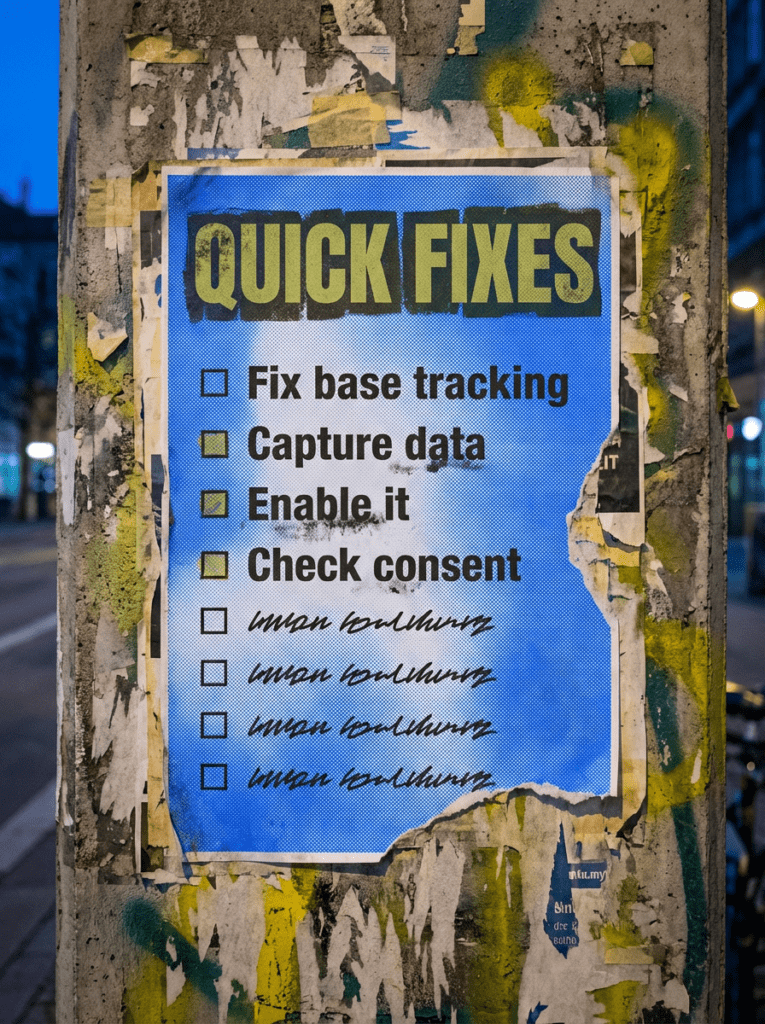
If you only have 20 minutes, start here. These are the fastest wins in our Google Ads Enhanced Conversion Guide.
- Make sure your base Google Ads conversion tracking works first
- Check whether you can actually capture first-party customer data on the journey
- Turn on enhanced conversions using Google tag or GTM
- Verify your consent setup if you serve users in the UK or EEA
- Give it time before deciding whether it helped
If that already feels like a lot, do not worry. Below is the full process in the right order.
Not sure where to start?
The most useful place to start with any Google Ads Enhanced Conversion Guide is not the toggle inside Google Ads. It is checking whether your base conversion tracking already works properly.
If the conversion action is misfiring, the thank-you page is wrong, the form is broken, or the tag was never set up cleanly in the first place, enhanced conversions will not magically rescue the account. Google’s own documentation is clear that this feature supplements your existing conversion setup rather than replacing the basics.
So before you ask how to switch it on, ask whether your current conversion tracking is already giving Google Ads a clean signal to work with.

Our full Google Ads Enhanced Conversion Guide
Work through this in order. Skipping ahead is how you end up blaming Google Ads for problems your measurement setup caused.
Step 1: Get your base conversion tracking right first
Before you touch enhanced conversions, make sure the original conversion action is firing properly.
- Check the right conversion action is set up in Google Ads
- Make sure the event fires on the correct form submission or thank-you step
- Confirm you are not double-counting conversions
- Make sure the conversion source is Google Ads, not just an imported GA goal
- Fix obvious form or tracking issues first
Google says conversions imported from Google Analytics goals are not supported for enhanced conversions, and recommends using a Google Ads conversion action with the Google tag or Google Tag Manager instead.
Step 2: Check whether you can actually capture usable first-party data
A proper Google Ads Enhanced Conversion Guide has to start here, because the feature needs customer data to work with.
Google says enhanced conversions use hashed first-party customer data such as an email address, name, home address, or phone number. At least one supported field needs to be available, with email being the preferred option.
- Check where the user enters their details
- Confirm whether that data is visible on the conversion page or an earlier step
- Decide whether automatic collection will work or whether you need a manual setup
- Make sure the conversion journey is clean and predictable
- Pull in your dev if the data is buried in a way the tag cannot use cleanly
Step 3: Choose the right setup route
There is no prize for picking the fanciest implementation. Pick the one that fits how your tracking is already set up.
Google supports three main routes for enhanced conversions for web: Google tag, Google Tag Manager, and the Google Ads API. If you already manage tagging through GTM, Google also recommends configuring enhanced conversions through a Google tag deployed in your GTM container.
- Use the Google tag route if your conversion tracking already runs through the Google tag
- Use GTM if your setup is managed in Google Tag Manager
- Use the API only if you genuinely need that level of control
- Keep the implementation as simple as your setup allows
- Do not create a messy hybrid setup just because someone online called it best practice
Step 4: Do not ignore consent mode if you serve the UK or EEA
This is one of the biggest reasons a modern Google Ads Enhanced Conversion Guide needs to go beyond just tag setup.
Google’s consent mode reference says ad_user_data is required for measurement use cases such as enhanced conversions and tag-based conversion tracking. Google’s verification guidance says this requirement applies in the EEA, the United Kingdom, and Switzerland.
- Check whether your consent banner is passing the right signals
- Verify ad_user_data is handled correctly
- Make sure consent settings line up with the regions you serve
- Do not assume the banner being live means the measurement is fine
- Test the setup properly after implementation
If your tracking looks off and you operate in the UK, this is one of the first places worth checking
Step 5: Turn on enhanced conversions and map the data properly
Once the basics are right, enable the feature and connect the customer data cleanly.
Google’s setup flow for the Google tag includes turning on enhanced conversions in the Goals settings, agreeing to customer data terms, choosing the data collection method, and then validating the implementation afterwards.
- Enable enhanced conversions in the relevant conversion settings
- Choose the right collection method
- Accept the customer data terms where needed
- Map the user-provided data carefully
- Save and publish the changes properly
Step 6: Validate the setup instead of just assuming it worked
This is where too many accounts go a bit sleepy.
Google says to validate the implementation straight after setup, and its docs explain how to test the payload in Chrome Developer Tools or use diagnostics to troubleshoot issues. A few days after setup, you may also see “Recording (processing enhanced conversions)” in the conversion status column.
- Check the tag diagnostics report
- Look for warnings or implementation issues
- Confirm the conversion action status updates properly
- Test the journey yourself if possible
- Make sure your dev team knows what “working” actually looks like
Step 7: Give it time before you judge the result
This is not instant, and a good Google Ads Enhanced Conversion Guide should say that clearly.
Google says you may need about 30 days after successful implementation before you can properly see impact results. It also notes that a few days after setup you may first see a processing status before the fuller impact view is available.
- Do not judge the setup after two days
- Let enough data come through first
- Compare before and after carefully
- Look at both reporting quality and bidding stability
- Check whether measured conversions improved rather than staring at one chart
If you rush this bit, you will either over-credit the feature or bin it off too early
Step 8: Fix the gaps around it, not just the feature itself
A clean enhanced conversions setup helps. A messy funnel is still a messy funnel.
- Tighten up forms that leak leads
- Fix landing pages that do not match the ad
- Remove broken steps in the journey
- Make sure sales-qualified actions are being tracked, not vanity clicks
- Keep the wider account structure sensible
Better data helps Google Ads make better decisions. Bad journeys still waste budget. Google’s own docs frame enhanced conversions as a way to improve measurement and bidding, not as a replacement for the rest of the account doing its job properly.
Sure you don’t want us to do all of this for you?
Common mistakes
These are the things that make a Google Ads Enhanced Conversion Guide necessary in the first place
DIY lane vs done for you lane
DIY lane:
If you want to DIY your Google Ads Enhanced Conversion Guide setup, start with base tracking, data availability, consent, and diagnostics. That is where most of the useful gains sit.
Done for you lane:
If you want the quicker route, we can sort the tracking, clean up the setup, tighten the conversion actions, and make sure Google Ads is not being asked to optimise off weak data.
Related Guides on the wall
If you’re working through a Google Ads Enhanced Conversion Guide, these guides will help with the pages and targeting around the tracking.
- Read How to Do Keyword Research if the wrong intent is coming into the campaign before tracking even gets a chance
- Use Service Page Checklist if the page after the click is not doing enough to turn paid traffic into real enquiries
- Read Technical SEO checklist for WordPress if the site setup is creating avoidable form, tracking, or implementation headaches
Google Ads Enhanced Conversion Guide FAQs FAQs

It helps you improve measurement by making better use of first-party customer data in a privacy-safe way, so Google Ads has a cleaner signal for reporting and bidding. Google says enhanced conversions can recover conversions that might otherwise not be measured and can unlock more powerful bidding.
No. Google provides setup routes for the Google tag, Google Tag Manager, and the Google Ads API.
Google says you may need about 30 days after successful implementation to see impact results properly, with an earlier processing status appearing first in some accounts.
Yes. Google says ad_user_data consent is required for measurement use cases such as enhanced conversions in the EEA, the United Kingdom, and Switzerland.
Check whether your Google Ads conversion action works properly, confirm you can capture first-party data on the journey, and then look at consent and setup. That is the cleanest place to start.

Quick tip
Rather have us handle this instead of DIY-ing it? That is literally the job.



Straight talking marketing that gets results.
No pressure, no jargon. Just a clear look at what’s stopping your site from bringing in more enquiries.
Get my free website reviewLike this guide?
Tell Google you want more like it. One click, no sign-up, and FlyPost guides start showing up more often in your search results.
Add FlyPost as a preferred sourceTakes you to Google, then straight back here.